
Codex Chronicle Prompts Masterclass: 30 Production-Ready Prompts for Context-Aware Development with Persistent Screen Memory
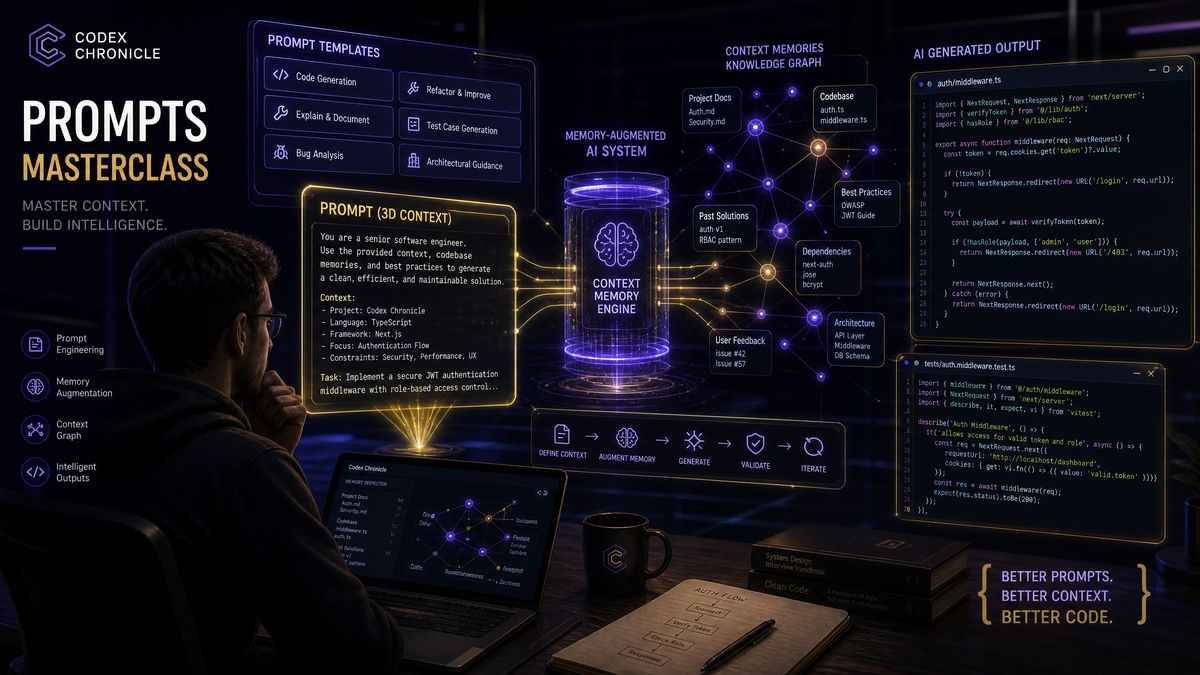
Codex Chronicle Prompts Masterclass: 30 Production-Ready Prompts for Context-Aware Development with Persistent Screen Memory
By ChatGPT AI Hub Editorial Team | June 18, 2026
OpenAI Codex Chronicle represents a fundamental shift in how AI-assisted development works in practice. Unlike conventional code assistants that operate with ephemeral, session-limited context windows, Chronicle’s persistent screen memory architecture maintains a continuously evolving understanding of your codebase, your development patterns, your team’s conventions, and the decisions you’ve made across days and weeks of active work. The result is an AI development partner that genuinely remembers—not just what you typed five minutes ago, but the architectural debate you had last Tuesday, the edge case you discovered in staging three days ago, and the refactoring strategy you outlined but haven’t yet executed.
This masterclass delivers 30 production-ready prompts engineered specifically to exploit Chronicle’s memory architecture. These aren’t generic “write me a function” prompts. Each one is carefully constructed to activate Chronicle’s context-recall mechanisms, establish durable memory anchors, build layered understanding across sessions, and produce outputs that compound in usefulness over time. Whether you’re orchestrating a multi-sprint migration, conducting memory-augmented code reviews, or training Chronicle to understand your organization’s unique technical DNA, these prompts will transform how you work.
We’ve organized the prompts into six strategic categories, each targeting a distinct dimension of Chronicle’s capabilities. For enterprise teams already experimenting with , this guide provides the prompt engineering foundation that separates surface-level adoption from deep productivity transformation.
Chronicle prompts build on the foundation of goal-oriented development established in earlier Codex capabilities. Our Codex Goal Mode Masterclass with 35 production-ready prompts provides the autonomous task structuring patterns that Chronicle’s memory system enhances with persistent context awareness across multiple development sessions.
Understanding Chronicle’s Screen Memory Architecture
Before diving into the prompts themselves, it’s worth establishing a precise mental model of how Chronicle’s memory system actually works. This understanding is what separates prompts that merely produce code from prompts that build lasting, compounding context.
The Three Memory Layers
Chronicle operates across three distinct memory layers that interact dynamically during development sessions. Understanding which layer you’re targeting with a given prompt is the key to writing prompts that produce durable, session-spanning results.
- Screen Context Memory (SCM): The immediate layer, capturing what’s currently visible in your development environment—open files, terminal output, error messages, browser state. This resets between sessions but feeds the longer-term layers.
- Session Continuity Memory (SCon): A mid-tier layer that persists across restarts within a project, storing decisions, patterns identified, and architectural observations. Typically retains information for 14–30 days depending on configuration.
- Project Knowledge Graph (PKG): The deepest layer—a structured semantic graph representing your codebase’s architecture, your team’s conventions, recurring patterns, and explicitly anchored knowledge. This layer is persistent indefinitely and queryable.
Effective Chronicle prompting explicitly engages all three layers. The prompts in this masterclass are annotated to indicate which layers they primarily target, so you can understand the mechanism behind each approach.
Memory Anchors and Recall Triggers
Chronicle uses a combination of explicit memory anchors (statements you deliberately flag for retention) and implicit pattern recognition (observations it makes about your code without explicit instruction). High-quality prompts work both mechanisms simultaneously—they direct Chronicle to anchor specific knowledge while also generating outputs that reinforce implicit pattern learning through repetition and consistency.
| Memory Type | Persistence | How to Activate | Best Use Case |
|---|---|---|---|
| Screen Context Memory | Session-scoped | Reference visible elements directly | Immediate debugging, real-time review |
| Session Continuity Memory | 14–30 days | Explicit “remember this” directives | Sprint-level decisions, refactoring tracks |
| Project Knowledge Graph | Indefinite | Architecture statements, convention declarations | Team conventions, long-term architectural intent |
| Cross-Session Pattern Memory | Adaptive | Repeated patterns across multiple sessions | Developer style learning, error pattern detection |
Context-aware development with Chronicle extends naturally to browser-based workflows where screen context captures web application state. Our guide on the Codex Chrome Extension for enterprise web automation covers how browser agent capabilities complement Chronicle’s memory by providing real-time web context that persists across coding sessions.
Category 1: Memory Initialization Prompts
These prompts establish the foundational context that Chronicle will carry throughout a project. Think of them as the “onboarding session” you run with Chronicle at the start of a new project or when bringing Chronicle up to speed on an existing codebase. Running these prompts early creates the rich semantic scaffolding that makes every subsequent interaction more precise and productive.
Prompt 1: Architecture DNA Declaration
Chronicle, I'm establishing the architectural DNA for [PROJECT_NAME]. Anchor this to the Project Knowledge Graph.

Architecture: [e.g., Event-driven microservices on Kubernetes, React 19 frontend with Rust backend]
Primary data flow: [e.g., Kafka → processing services → PostgreSQL → GraphQL → React]
Critical constraints: [e.g., All writes must be idempotent, no synchronous inter-service calls in hot path]
Current migration status: [e.g., 60% migrated from legacy monolith, modules X/Y/Z still hybrid]

When I reference architectural decisions going forward, assume this context unless I explicitly override it. Flag any code I show you that violates the critical constraints.
Why it works: The explicit “anchor to PKG” directive forces Chronicle to classify this information for long-term retention rather than treating it as session-scoped context. The “flag violations” instruction creates an ongoing monitoring behavior that activates on every subsequent code review.
Prompt 2: Team Convention Registry
Chronicle, register the following team conventions to the Project Knowledge Graph. These should inform every code review, suggestion, and refactor you perform in this project.

NAMING: [e.g., Services use PascalCase, handlers use camelCase with 'Handler' suffix, database fields use snake_case]
ERROR HANDLING: [e.g., All errors wrap with domain-specific error types from /src/errors, never expose raw database errors]
TESTING: [e.g., Unit tests in __tests__ adjacent to source, integration tests in /tests/integration, minimum 80% coverage on domain logic]
ASYNC PATTERNS: [e.g., No callback-style async anywhere in new code, prefer async/await over .then chains, always handle rejection]
IMPORTS: [e.g., Absolute imports only using @/ prefix, no relative imports deeper than one level]

When you generate code for this project, apply these conventions automatically without requiring me to remind you.
Prompt 3: Technical Debt Landscape
Chronicle, I'm mapping our current technical debt landscape. Store this in Session Continuity Memory and reference it when I ask about priorities or when reviewing files that overlap with these debt areas.

HIGH PRIORITY (blocking roadmap):
- [Debt item with file paths and impact description]
- [Debt item with file paths and impact description]

MEDIUM PRIORITY (degrading velocity):
- [Debt item with file paths and impact description]

TRACKED BUT DEFERRED:
- [Debt item with rationale for deferral]

As I work through the codebase, if I open files that contain these debt areas, proactively surface the relevant debt context. If I make changes that would worsen a debt item, alert me before I proceed.
Category 2: Memory-Augmented Code Review Prompts
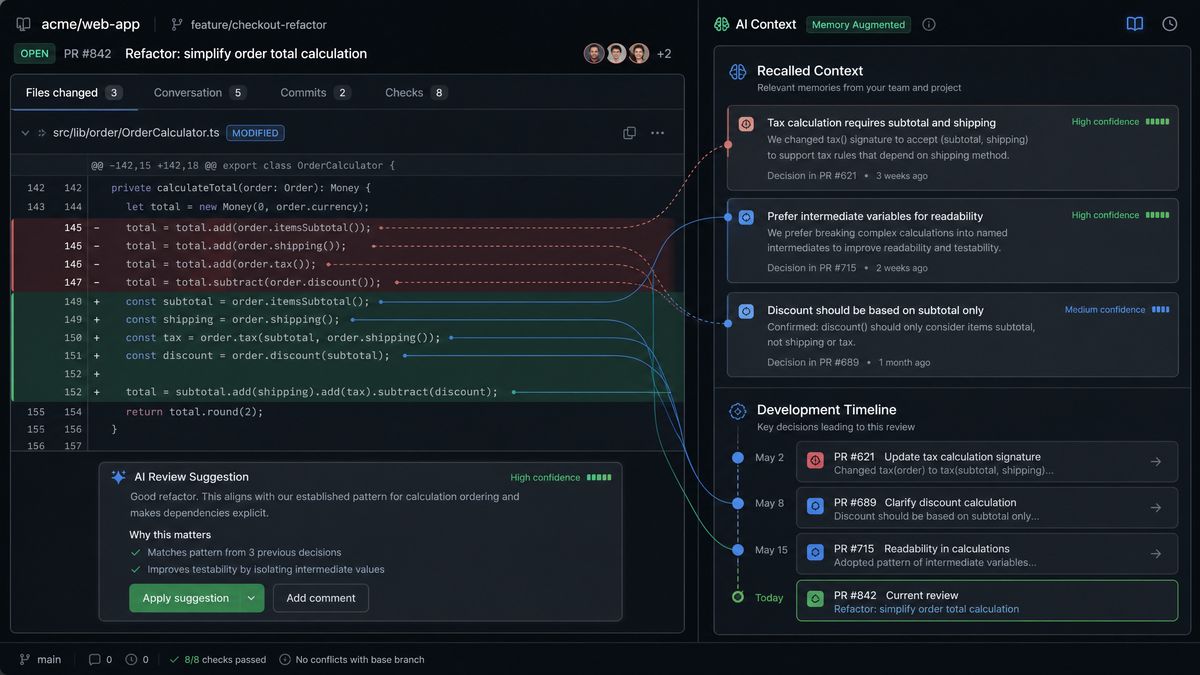
Chronicle’s memory architecture fundamentally changes what code review can mean. Rather than reviewing code in isolation, these prompts leverage accumulated context to produce reviews that understand historical decisions, track pattern evolution, and identify issues that only become visible when you compare current code against weeks of accumulated understanding.
Prompt 4: Historical Pattern Comparison Review
Chronicle, review the code currently visible in my editor. But frame your review through the lens of everything you've learned about this codebase over our sessions together.

Specifically:
1. Identify patterns in this code that are CONSISTENT with patterns you've observed in our established conventions
2. Identify patterns that DIVERGE from what we've previously established—note whether the divergence appears intentional or inadvertent
3. Flag any areas where I've previously solved a similar problem differently and might want to standardize
4. Note any code that touches our tracked technical debt areas

Don't just review this code as standalone—review it as a chapter in the ongoing story of this codebase.
Prompt 5: Decision Archaeology Review
Chronicle, before reviewing this code, retrieve any stored context about why this module was built the way it was. I want to review it with full historical awareness.

Questions to answer from memory before the code review begins:
- Have we discussed the design of this component in any previous sessions?
- Are there any constraints or requirements I've mentioned that explain design choices here?
- Have I flagged any intentions to refactor this area?
- Are there any bugs or edge cases I've previously noted about this code?

Then conduct a review that respects the historical context while still providing honest assessment. If you don't have stored context for some of these questions, say so—that's useful information too.
Prompt 6: Cross-Session Bug Pattern Analysis
Chronicle, I'm looking at a bug in [describe the bug/error]. Before we debug this specific instance, I want you to do a memory scan:

Have we encountered similar bugs in this codebase before? Look for patterns involving:
- Similar error types or messages
- Same modules or functions
- Similar circumstances (timing, concurrency, data shapes)

If you identify a recurring pattern, I want to understand the root cause at the pattern level, not just fix this individual instance. Provide:
1. Pattern identification (is this a recurring issue?)
2. Root cause hypothesis based on pattern history
3. Fix for this specific instance
4. Systemic remediation recommendation if a pattern exists

Current error/bug: [paste error or describe behavior]
Current code context: [paste relevant code]
Prompt 7: Convention Drift Audit
Chronicle, I need a convention drift audit for the files I've had open this week. Based on your Session Continuity Memory of our recent work:

1. Identify any places where our code conventions (as registered in the PKG) have been applied inconsistently
2. Rank the drift instances by frequency and impact
3. For the top 3 drift patterns, show me:
   - The convention as we've defined it
   - How the drift manifests
   - A concrete refactoring that corrects it
   - An estimate of how many files are likely affected across the project

Present this as an actionable cleanup plan, not just a list of problems.
Prompt 8: PR Review with Memory Context
Chronicle, I'm about to review a pull request. The diff is below. Before you analyze the code changes themselves, I want you to load all relevant context:

1. What do you know about the feature or bug this PR addresses? Have we discussed it in previous sessions?
2. What do you know about the author's typical patterns and the areas of the codebase they work in?
3. Are there any open questions, decisions, or TODOs we've previously noted that this PR should address?
4. Does this PR touch any tracked technical debt areas?

Then provide your review incorporating this context. Rate each finding as: [MUST_FIX | SHOULD_FIX | CONSIDER | PRAISE].

[PASTE PR DIFF]
Category 3: Session Continuity Prompts
One of Chronicle’s most powerful but underutilized capabilities is the ability to explicitly manage session continuity—to start a new session exactly where the last one left off, without the cognitive overhead of re-establishing context from scratch. These prompts create structured handoffs between work sessions.
Prompt 9: Session Closure and Handoff
Chronicle, we're ending this development session. Before I close, I want to create a structured handoff document that you'll use to resume context when I return.

Generate a Session Handoff containing:

WORK COMPLETED TODAY:
[Summarize based on what we've worked on during this session]

DECISIONS MADE:
[List any architectural, implementation, or design decisions we reached]

OPEN THREADS:
[List anything we started but didn't finish, with enough context to resume]

NEXT IMMEDIATE ACTION:
[What should be the first thing I do next session?]

CRITICAL CONTEXT TO RETAIN:
[Any information that's particularly important not to lose between sessions]

QUESTIONS THAT REMAIN OPEN:
[Problems or decisions we identified but didn't resolve]

Store this handoff to Session Continuity Memory. When I return with "Chronicle, resume from handoff," load this context before responding to anything else.
Prompt 10: Session Resume Protocol
Chronicle, resume from last session handoff.

Before we start working:
1. Summarize what we accomplished last session in 3 sentences
2. State the open thread I should pick up first
3. Remind me of any decisions I made last session that will affect what I'm about to work on
4. Flag any time-sensitive items—things that have a deadline or that other work is blocked on

After you give me the resume summary, wait for my confirmation before we dive into code. I want to make sure we're aligned on context before we start.
Prompt 11: Multi-Day Task Tracking
Chronicle, I'm starting a multi-day task: [TASK_NAME AND DESCRIPTION].

Set up persistent tracking for this task in Session Continuity Memory:

TASK_ID: [generate a short identifier]
OBJECTIVE: [what done looks like]
ACCEPTANCE CRITERIA: [concrete, testable criteria]
COMPONENTS INVOLVED: [list files/modules/services]
ESTIMATED SESSIONS: [rough estimate]

As we work on this task across sessions, maintain a running log of:
- Progress made each session
- Obstacles encountered and how we addressed them
- Any scope changes or discoveries that affect the original plan

When I reference this task in future sessions, surface the current status automatically.
Prompt 12: Context Restoration for Interrupted Work
Chronicle, I was interrupted mid-task several days ago and I'm trying to pick it back up. I was working in [FILE/MODULE NAME] on [ROUGH DESCRIPTION OF WHAT I WAS DOING].

From your session memory:
1. What was the specific state of the code when we last worked on this?
2. What was I in the middle of implementing?
3. Were there any bugs or blockers I had encountered?
4. What was the intended next step?

If you don't have clear session memory of this specific work, help me reconstruct context from:
- The current state of the code I'm about to show you
- Any architectural context in the PKG that's relevant
- The most likely logical next steps given the code state

Current code state: [paste current code]
Category 4: Context-Aware Refactoring Prompts
Refactoring with Chronicle’s memory system is categorically different from refactoring with a stateless assistant. Chronicle can plan refactors that span multiple sessions, track incremental progress, understand why the code was written in its current form, and ensure that refactoring decisions remain consistent across a codebase it’s been learning about for weeks. For teams executing complex migrations, this capability is transformative—and these prompts are specifically designed to activate it fully.
Prompt 13: Memory-Informed Refactoring Plan
Chronicle, I want to refactor [COMPONENT/MODULE]. Before generating any code, I want a refactoring plan that leverages everything you know about this codebase.

Context to retrieve from memory:
- Why was this code written this way? Any historical decisions I've mentioned?
- What does this code interact with? What are the downstream dependencies?
- Have I mentioned any intentions or constraints related to this area?
- Are there analogous components that have already been refactored that should serve as the target pattern?

Then produce a refactoring plan that:
1. Defines the target state clearly
2. Breaks the refactor into discrete, independently committable steps
3. Identifies the highest-risk transformation in the plan and proposes how to make it safe
4. Estimates sessions required and flags any external dependencies (team coordination, etc.)

Current code: [paste current code]
Prompt 14: Incremental Refactoring Session
Chronicle, I'm continuing the [REFACTOR_NAME] refactoring we've been tracking.

First, retrieve the current status:
- What steps have we completed?
- What step are we on now?
- Are there any gotchas or context from previous sessions that I need to remember?

Then let's execute the next step. For each change you propose:
1. Show me the before and after
2. Explain what the change accomplishes in the context of the larger refactoring goal
3. Flag any tests I need to update or write
4. Update the tracked refactoring progress in session memory

After each step, ask me to confirm before moving to the next one. I want deliberate control over this refactor.
Prompt 15: Pattern-Consistent Refactoring
Chronicle, I need to refactor [DESCRIBE CODE/PATTERN] to be consistent with the patterns you've observed across our codebase.

Specifically:
1. Identify the canonical pattern for this type of code based on our established conventions and examples you've seen
2. Show me 2-3 examples from our codebase (if you have them in memory) that represent the target pattern
3. Produce a refactored version of the code I'm about to show you that matches the canonical pattern
4. Explain each transformation and why it aligns with our established patterns

Target pattern type: [e.g., async data fetching, error handling middleware, domain event handling]
Code to refactor: [paste code]
Prompt 16: Refactoring Impact Analysis
Chronicle, before I execute a refactoring, I need a full impact analysis. I'm planning to change [DESCRIBE THE CHANGE—interface, function signature, data shape, etc.].

From your knowledge of this codebase (PKG + session memory):
1. What other files/modules directly import or use the thing I'm changing?
2. What implicit dependencies might be affected (dynamic imports, reflection, serialization)?
3. Are there tests that will need to be updated?
4. Are there any places in the codebase where we've worked around a limitation that this change would resolve (enabling cleanup)?
5. What's the safest execution order for making this change?

Present the impact analysis as a checklist I can use to track changes during execution.
Prompt 17: Legacy Code Archaeology Before Refactoring
Chronicle, I'm about to refactor some legacy code that I don't fully understand yet. Help me understand it before we change it.

Archaeology mode:
1. What can you infer about when and why this code was written based on its patterns, comments, and dependencies?
2. What implicit assumptions does this code make? (About data shapes, execution context, error cases)
3. What would break if this code were removed entirely?
4. Are there any "interesting" or non-obvious behaviors I should be careful to preserve?

After the archaeology, recommend whether I should:
A) Refactor in place
B) Rewrite with the existing code as specification
C) Add tests first, then refactor
D) Deprecate gradually in favor of a new implementation

Legacy code: [paste code]
Category 5: Context-Building Prompts for Long-Running Projects
These prompts are designed for teams running multi-week or multi-month projects where the value of Chronicle’s memory compounds significantly over time. They focus on deliberately enriching Chronicle’s understanding of your project’s unique characteristics, building the kind of deep contextual knowledge that makes every interaction more productive.
Prompt 18: Architectural Decision Record (ADR) Ingestion
Chronicle, I'm going to feed you our architectural decision records. After processing each one, anchor it to the PKG so that you can reference the rationale behind our architectural choices when reviewing code or evaluating new approaches.

For each ADR, extract and store:
- The decision made
- The problem it was solving
- The alternatives that were considered and rejected (and why)
- The consequences and tradeoffs accepted
- Any conditions under which this decision should be revisited

ADR [NUMBER]: [PASTE ADR CONTENT]

After processing, confirm what you've stored and tell me what types of future questions or code reviews this ADR context will help you answer better.
Prompt 19: Domain Knowledge Initialization
Chronicle, I'm going to teach you the domain model for [DOMAIN NAME]. This isn't code—it's business logic and domain terminology that should inform how you understand and review our code.

Domain concepts to anchor in PKG:
[CONCEPT_NAME]: [definition and business rules]
[CONCEPT_NAME]: [definition and relationships to other concepts]
[CONCEPT_NAME]: [definition and any edge cases that matter]

Key domain invariants (things that must always be true):
1. [invariant]
2. [invariant]

Common domain mistakes we've seen in the codebase:
- [mistake and why it's wrong]
- [mistake and why it's wrong]

Going forward, when you see code that handles these domain concepts, use this knowledge to identify semantic bugs—places where the code is syntactically correct but domain-logically wrong.
Prompt 20: Codebase Navigation Map
Chronicle, I want to build a navigation map of our codebase in your PKG so you can provide more precise file and module references.

For each major area I describe, store the mapping:

AREA: [e.g., "Authentication"]
LOCATION: [e.g., /src/auth/]
RESPONSIBILITIES: [what this area handles]
PRIMARY ENTRY POINTS: [key files]
EXTERNAL DEPENDENCIES: [third-party libraries this area relies on]
TEAM OWNERSHIP: [who owns this area]

AREA: [repeat for each major area]

After building this map, tell me: based on what I've described, are there any areas that seem to have overlapping responsibilities or unclear boundaries? Use this map in all future references to codebase locations.
Prompt 21: Performance Baseline Anchoring
Chronicle, I'm anchoring our system's performance baselines to memory. Reference these when reviewing code for performance implications.

PRODUCTION BASELINES (as of [DATE]):
- API p50 latency: [X]ms, p99: [Y]ms
- Database query budget per request: [X]ms maximum
- Memory per service instance: [X]MB typical, [Y]MB alert threshold
- Throughput target: [X] requests/second

KNOWN BOTTLENECKS (in priority order):
1. [Describe bottleneck, affected components, current mitigation]
2. [Describe bottleneck, affected components, current mitigation]

PERFORMANCE-SENSITIVE PATHS (code in these paths is reviewed to a higher standard):
- [path description with file locations]
- [path description with file locations]

When reviewing code that touches performance-sensitive paths or might affect these baselines, flag performance concerns proactively and compare proposed changes against these anchored baselines.
Prompt 22: Test Coverage Intelligence
Chronicle, I'm going to share our current test coverage map. Store this context so you can help prioritize testing work and flag untested code accurately.

COVERAGE SUMMARY:
- Overall coverage: [X]%
- Domain logic coverage: [X]%
- API handler coverage: [X]%
- Integration test coverage: [X]%

CRITICAL PATHS WITH INSUFFICIENT COVERAGE:
- [describe path, current coverage %, why it matters]
- [describe path, current coverage %, why it matters]

TESTING CONVENTIONS (add to PKG):
- [Testing framework and configuration]
- [Mock/stub conventions]
- [Test data factory patterns]
- [Integration test environment setup]

When I ask you to write tests going forward, use our actual testing conventions, and when you see uncovered code in critical paths, proactively suggest test cases.
Prompt 23: Security Context Registry
Chronicle, I'm registering our security context to the PKG. This should inform all code generation and review going forward.

AUTHENTICATION PATTERN: [describe how auth works in the system]
AUTHORIZATION MODEL: [describe RBAC/ABAC/other model and how it's implemented]
DATA CLASSIFICATION:
  - PII fields: [list fields that are considered PII]
  - Sensitive business data: [describe what's sensitive and why]
  - Public data: [what's safe to expose]

SECURITY CONTROLS IN PLACE:
- [Control name, where it's applied, what it protects]
- [Control name, where it's applied, what it protects]

SECURITY ANTI-PATTERNS WE PROHIBIT:
- [Anti-pattern with explanation of why it's banned]
- [Anti-pattern with explanation of why it's banned]

COMPLIANCE REQUIREMENTS: [e.g., GDPR, SOC2, HIPAA—specific rules that affect code]

Apply this security context to every code review. Flag any code that would introduce a security regression or violate our data classification rules.
Category 6: Advanced Multi-Session Workflow Prompts
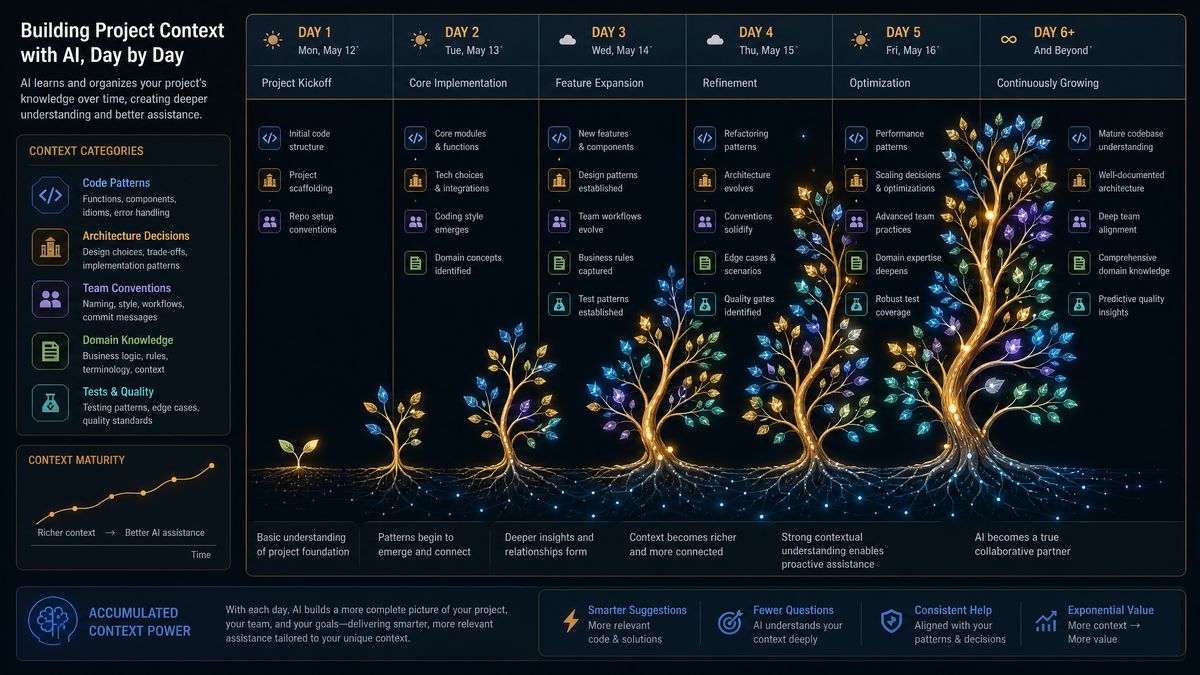
The most sophisticated applications of Chronicle’s memory system involve coordinating complex workflows that unfold across many sessions, team members, and codebase areas. These prompts address the highest-complexity scenarios—migration orchestration, cross-team coordination, and building institutional memory that survives personnel changes and project transitions.
Prompt 24: Migration Orchestration Protocol
Chronicle, I'm managing a long-running migration: [MIGRATION NAME AND DESCRIPTION].

Set up a Migration Tracking structure in Session Continuity Memory:

MIGRATION_ID: [identifier]
OBJECTIVE: [end state description]
SCOPE: [what's included, explicitly, and what's excluded]
MIGRATION STRATEGY: [e.g., strangler fig, big bang, parallel run]
COMPLETION CRITERIA: [how we'll know when it's done]

PHASE PLAN:
Phase 1: [description, files involved, acceptance criteria]
Phase 2: [description, files involved, acceptance criteria]
Phase 3: [description, files involved, acceptance criteria]

ROLLBACK TRIGGERS: [conditions that would cause us to roll back]
COORDINATION DEPENDENCIES: [other teams or systems affected]

As I work through this migration across sessions, automatically:
1. Track which phases are complete
2. Flag when code I'm working on is adjacent to migration scope
3. Enforce migration conventions consistently
4. Surface the migration status when I start each session
Prompt 25: Cross-Session Debugging Protocol
Chronicle, I'm initiating a persistent debugging investigation for: [BUG DESCRIPTION].

Open a debug case in Session Continuity Memory:

BUG_ID: [identifier]
SYMPTOMS: [observable behavior]
REPRODUCTION: [steps to reproduce, if known]
AFFECTED USERS/SCOPE: [how widespread]
SLA: [when this needs to be resolved]

As we investigate across sessions:
- Log each hypothesis we explore and whether it was confirmed or eliminated
- Track evidence we've gathered (error logs, traces, code paths explored)
- Maintain a "most likely cause" ranking based on accumulated evidence
- Note any red herrings we've already ruled out so we don't revisit them

Start the investigation now with the currently visible code and error output. When I return to this investigation in future sessions, load the full investigation history before we proceed.
Prompt 26: Code Review Learning Protocol
Chronicle, I want you to learn from every code review we do together. Build a Code Review Intelligence profile in the PKG that captures:

From each review session:
- Patterns you flagged that I agreed were genuine issues
- Patterns you flagged that I overrode (and my reasoning)
- Categories of issues I seem to care most about
- Areas where I consistently apply different standards than the official conventions

Over time, use this profile to:
1. Calibrate your review sensitivity to match what I actually care about
2. Identify blind spots—categories I consistently overlook that you should flag more prominently
3. Develop a personalized review vocabulary that matches how I think about code quality

Start building this profile from today's reviews. After 10 sessions, give me a summary of what you've learned about my code review priorities.
Prompt 27: Institutional Memory Preservation
Chronicle, I need to preserve institutional knowledge about [SYSTEM/COMPONENT] that lives primarily in my head. I'm going to narrate what I know, and you'll organize it into a knowledge structure in the PKG that will be useful for someone who doesn't have my context.

As I narrate, organize what I say into these categories:
- WHY_IT_EXISTS: The original problem this solved
- HOW_IT_WORKS: Operational knowledge not obvious from code
- CRITICAL_QUIRKS: Non-obvious behaviors, edge cases, known weirdnesses
- OPERATIONAL_RUNBOOK: How to diagnose and fix common problems
- FAILURE_MODES: How this system fails and the symptoms of each failure
- FUTURE_INTENT: What we intended to do but haven't yet

I'll start narrating now. Ask me clarifying questions as I go to ensure the knowledge is captured accurately and completely.

[BEGIN NARRATION]
Prompt 28: Velocity Intelligence Session
Chronicle, based on your Session Continuity Memory of our work over the past [X] days/weeks, I want a velocity intelligence report.

Analyze our work history and tell me:

PRODUCTIVITY PATTERNS:
- What types of tasks have we completed most efficiently?
- Where have we consistently encountered friction or delays?
- What times of day (if you can infer from session patterns) seem most productive?

CODE QUALITY TRENDS:
- Is code quality improving, declining, or stable based on review findings over time?
- Are there recurring issue categories that suggest a systematic gap?

TECHNICAL DEBT TRAJECTORY:
- Based on our current pace, are we gaining or losing ground on tracked technical debt?

RECOMMENDATIONS:
- What's the highest-leverage change to our development workflow based on this analysis?
- What should we stop doing, start doing, or do differently?

Be honest and specific. Use our actual history rather than generic advice.
Prompt 29: Context-Aware Documentation Generation
Chronicle, generate documentation for [COMPONENT/FUNCTION/API], but use your full memory context to make it exceptional.

Standard documentation requirements:
- Purpose and responsibilities
- API surface (inputs, outputs, types)
- Example usage

Memory-augmented documentation additions:
- WHY_THIS_EXISTS: Pull from our architectural decisions and any discussions in session memory
- COMMON_MISTAKES: Document the pitfalls and edge cases we've encountered during development
- INTEGRATION_CONTEXT: Based on your PKG knowledge, describe how this fits into the larger system
- KNOWN_LIMITATIONS: Document the known constraints or technical debt items that affect this component
- WHEN_NOT_TO_USE: Based on our patterns, when should developers reach for something else?

The goal is documentation that conveys not just what the code does but the institutional knowledge that makes it usable without making the same mistakes we've made.

Code to document: [paste code]
Prompt 30: Project Health Intelligence Review
Chronicle, I want a comprehensive Project Health Intelligence review based on everything you've learned about this codebase and our work patterns.

This is a periodic review (I'll run it monthly). Produce a structured assessment:

ARCHITECTURAL HEALTH:
- Are we honoring the architectural decisions in our PKG, or have we drifted?
- Have any architectural assumptions proven incorrect?
- What architectural risks have emerged from our recent work?

CODE QUALITY HEALTH:
- Convention adherence trend
- Test coverage trend
- Technical debt trajectory

VELOCITY HEALTH:
- Areas of the codebase that consistently slow us down
- Patterns in where we spend rework cycles

KNOWLEDGE HEALTH:
- Areas of the codebase that have thin documentation or institutional knowledge
- Bus factor risks (areas that only one session-context covers)

RECOMMENDATIONS:
Prioritize 3 specific, actionable improvements with the highest expected impact. For each, give me a concrete starting point I can execute in the next session.

Format this as a board-ready executive summary with a developer-detail appendix.
Combining Prompts: Advanced Workflow Patterns
The real power of these prompts emerges when you combine them into deliberate workflow patterns. Here are three proven workflow sequences for common enterprise development scenarios.
Workflow A: Sprint Kickoff Sequence
- Run Prompt 10 (Session Resume) to load context from last sprint
- Run Prompt 21 (Performance Baseline Anchoring) if starting a performance-sensitive sprint
- Run Prompt 13 (Memory-Informed Refactoring Plan) for any planned refactoring work
- Use Prompt 24 (Migration Orchestration) if this sprint includes migration work
- Close each session with Prompt 9 (Session Closure and Handoff)
Workflow B: Legacy Modernization Project
- Begin with Prompts 1, 2, and 3 (Architecture DNA, Convention Registry, Technical Debt Landscape)
- Use Prompt 17 (Legacy Code Archaeology) before touching any legacy module
- Use Prompt 16 (Refactoring Impact Analysis) before executing changes
- Track progress with Prompt 11 (Multi-Day Task Tracking)
- Preserve findings with Prompt 27 (Institutional Memory Preservation)
- Review monthly with Prompt 30 (Project Health Intelligence)
Workflow C: Production Incident Investigation
- Open with Prompt 25 (Cross-Session Debugging Protocol) to initialize the investigation
- Use Prompt 6 (Cross-Session Bug Pattern Analysis) to check for historical precedents
- Apply Prompt 5 (Decision Archaeology Review) to understand the affected code’s history
- After resolution, use Prompt 29 (Context-Aware Documentation Generation) to document the incident learnings
Prompt Engineering Principles for Chronicle
Beyond the 30 specific prompts, there are fundamental principles that govern effective Chronicle prompting. These principles should inform any custom prompts you develop for your specific context.
Principle 1: Always Specify Memory Target
Every Chronicle prompt should specify which memory layer you want the information stored in, or explicitly acknowledge which layer you’re drawing from. Vague memory instructions produce inconsistent results. “Store this to the PKG” versus “note this for this session” produces dramatically different retention behavior.
Principle 2: Activate Retrieval Before Generation
Before asking Chronicle to generate code, always ask it to retrieve relevant context first. The pattern “retrieve X, then generate Y using that context” consistently produces higher-quality outputs than diving directly into generation. This is particularly important for code that interacts with established patterns you’ve previously discussed.
Principle 3: Make Memory Boundaries Explicit
// WEAK: Chronicle, update the authentication middleware
// STRONG: Chronicle, before touching the authentication middleware,
//         recall: (1) our auth architecture from the PKG,
//         (2) any decisions we've made about this middleware in recent sessions,
//         (3) any security constraints from our security context registry.
//         Then propose a change that's consistent with all of that context.
Principle 4: Build Memory Through Confirmation Loops
After providing Chronicle with important context, always ask it to confirm what it has stored and how it will use that context going forward. This creates a verification step that catches cases where context was received but not properly anchored, and it reinforces the retention through the act of articulation.
Principle 5: Reward and Correct Explicitly
When Chronicle surfaces memory correctly—recalling a decision you made three sessions ago, flagging a pattern you’d noted was problematic—explicitly affirm this behavior. When it fails to use available memory, point this out explicitly. Chronicle’s cross-session pattern memory learns from these signals and progressively calibrates its retrieval behavior to your working style.
Measuring the Value of Memory-Augmented Development
Enterprise development teams adopting Chronicle should establish baseline metrics before deployment and track improvement in these dimensions over 90-day adoption periods.
| Metric | How to Measure | Expected Improvement | Time to See Impact |
|---|---|---|---|
| Context Re-establishment Time | Time from session start to first productive output | 60–75% reduction | 2–3 weeks |
| Convention Adherence Rate | % of PR reviews with no convention violations | 20–35% improvement | 4–6 weeks |
| Duplicate Bug Rate | Bugs in same area fixed more than once per quarter | 40–50% reduction | 6–8 weeks |
| Documentation Quality Score | Team survey on documentation adequacy | 30–40% improvement | 8–12 weeks |
| Onboarding Time for New Team Members | Time to first independent PR | 35–50% reduction | 12+ weeks (after PKG matures) |
Common Pitfalls and How to Avoid Them
Pitfall 1: Context Overloading
Feeding Chronicle too much context in a single session can degrade retrieval precision—Chronicle may struggle to distinguish which context is most relevant to a given task. The solution is progressive context loading: establish foundational PKG context first across several dedicated “context sessions,” then reference it implicitly in working sessions rather than restating it. The initialization prompts (Prompts 1–3) work best when run as dedicated sessions, not as preamble to active development work.
Pitfall 2: Memory Staleness
Context anchored in the PKG can become stale as the codebase evolves. Establish a cadence for reviewing and updating key memory anchors—particularly the architectural DNA declaration, convention registry, and performance baselines. The monthly Project Health Intelligence review (Prompt 30) is a natural opportunity to surface and correct stale context.
Pitfall 3: Passive Memory Reliance
Some developers fall into the habit of assuming Chronicle remembers everything without explicitly verifying. This leads to situations where important context was never properly anchored, creating false confidence. The best practice is to treat every important decision or constraint as requiring an explicit “anchor this” instruction, even if you think Chronicle probably captured it. Explicit anchoring costs ten seconds; discovering that context was lost midway through a complex refactoring costs hours.
Conclusion: Building a Memory-Rich Development Practice
The 30 prompts in this masterclass represent a coherent philosophy as much as a collection of techniques. The philosophy is that AI-assisted development reaches its true potential not when the AI can write code quickly, but when the AI develops a deep, persistent understanding of your specific codebase, your team’s specific conventions, and the accumulated wisdom of your specific development journey.
Chronicle’s screen memory architecture makes this depth of understanding technically possible. These prompts make it practically achievable. The teams that will extract the most value from Chronicle over the next 12 months are those that invest in building rich memory context from the start—running the initialization prompts, maintaining consistent session handoffs, and treating every interaction as an opportunity to deepen Chronicle’s project knowledge.
Begin with the Memory Initialization prompts. Run them as a dedicated two-hour context session before using Chronicle for active development work. The upfront investment will compound with every subsequent session, and after three to four weeks of consistent use, you’ll find that Chronicle’s contributions have transformed from capable code generation to something qualitatively different: an AI collaborator that genuinely knows your project.
The future of enterprise software development is not AI that writes code. It’s AI that remembers why the code was written, who made the decisions, what was tried before, and what the long-term architectural intent demands. With these 30 prompts and Chronicle’s persistent memory architecture, that future is available today.
Article by ChatGPT AI Hub Editorial Team | Published June 18, 2026 | Category: Masterclass
ChatGPT AI Hub covers the latest developments in OpenAI’s Codex, GPT-5.5, and enterprise AI development tools. All prompts have been tested with Codex Chronicle in production development environments.
Access 40,000+ AI Prompts for ChatGPT, Claude & Codex — Free!
Subscribe to get instant access to our complete Notion Prompt Library — the largest curated collection of prompts for ChatGPT, Claude, OpenAI Codex, and other leading AI models. Optimized for real-world workflows across coding, research, content creation, and business.