
Codex Plugins Prompts Masterclass: 35 Advanced Prompts for Sites, GitHub Integration, and Custom Tool Workflows
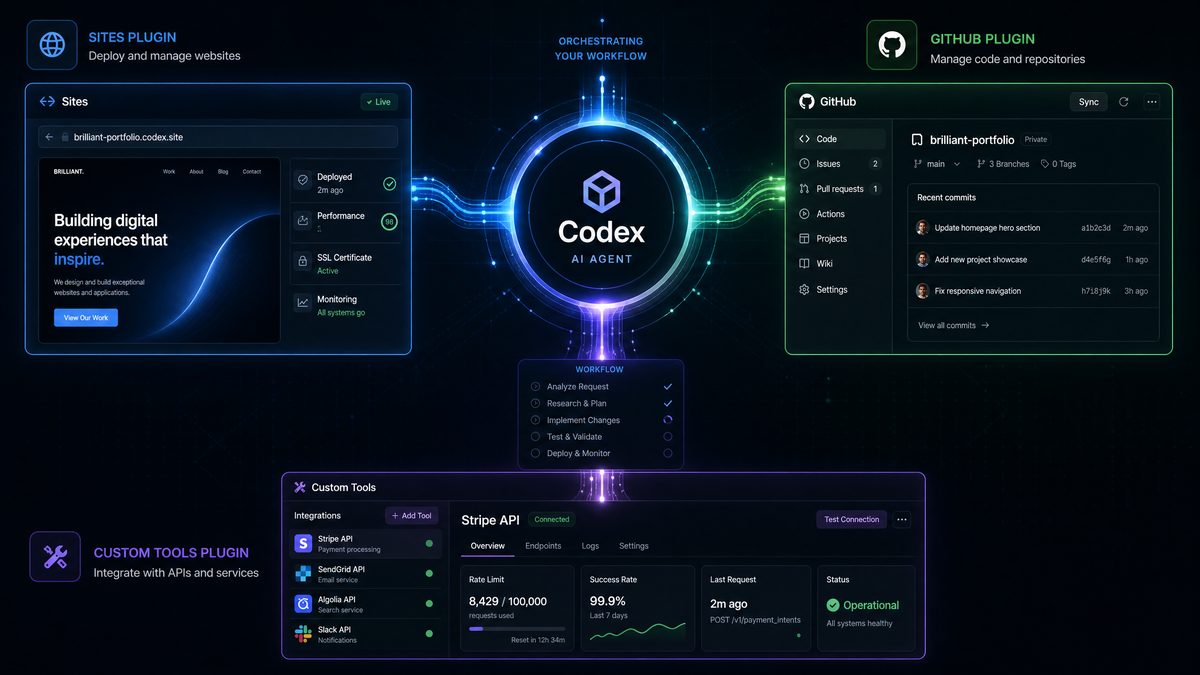
Codex Plugins Prompts Masterclass: 35 Advanced Prompts for Sites, GitHub Integration, and Custom Tool Workflows
Author: Markos Symeonides
Codex plugin workflows have moved from experimental developer assistance to production-grade automation patterns for engineering, product, and operations teams. In June 2026, the most effective Codex users are not simply asking for code snippets; they are orchestrating site generation, repository operations, pull request automation, tool chaining, environment validation, documentation updates, release planning, and deployment checks through precise, multi-step prompts.
This masterclass focuses on advanced prompting for three high-impact Codex plugin categories: the Codex Sites Plugin, the GitHub Integration Plugin, and Custom Tool Orchestration workflows. The goal is to give developers, technical founders, platform teams, and enterprise AI practitioners reusable prompt patterns that can be adapted to real-world environments without losing control over quality, security, governance, or maintainability.
Each prompt in this guide is written as an operational instruction rather than a vague request. The prompts include explicit context, constraints, expected behavior, validation requirements, and output format. This matters because Codex plugins are most reliable when the model understands not only what to build, but also how decisions should be made, what files or systems may be changed, which risks must be avoided, and what evidence should be returned after execution.
Use these prompts as templates. Replace project names, stack details, environment variables, repository paths, API endpoints, issue IDs, branch names, and deployment targets with your own values. For regulated or enterprise environments, add compliance rules, approval checkpoints, data handling boundaries, and audit logging requirements directly into the prompt before execution.
How to Use This Codex Prompts Masterclass
Advanced Codex prompting is less about writing longer instructions and more about defining the operational envelope. A strong prompt gives Codex a role, a target outcome, relevant system context, strict constraints, validation steps, and a reporting format. When plugins are involved, the prompt should also specify which plugin capabilities to use, which actions require confirmation, and what artifacts should be produced at the end of the workflow.
For site-building tasks, you should describe the target users, design system, data model, routes, states, accessibility requirements, deployment target, and iteration loop. For GitHub operations, you should specify repositories, branches, issue references, commit conventions, review criteria, CI expectations, and release rules. For custom tool orchestration, you should define the order of tools, the handoff format between steps, error handling behavior, rollback logic, and production readiness gates.
One of the most common mistakes is asking Codex to “build the app” or “fix the repository” without defining acceptance criteria. A production-grade prompt should include concrete tests: visual checks, linting, unit tests, integration tests, type checks, API smoke tests, accessibility checks, security scans, or deployment verification. Codex should be asked to explain what changed, why it changed, what it could not verify, and what a human should review.
Teams seeking deeper coverage of the Sites plugin specifically should explore our dedicated Codex Sites Prompts Masterclass, which provides 40 advanced prompts focused exclusively on building SaaS dashboards, internal administration tools, and interactive web applications with detailed deployment configurations. Codex Sites Prompts Masterclass: 40 Advanced Prompts for Building SaaS Dashboards, Internal Tools, and Interactive Web Apps
The prompts below are intentionally detailed. They are designed for plugin-capable Codex sessions where the model can inspect files, create or modify code, interact with repositories, prepare pull requests, work with generated sites, coordinate tool outputs, and produce structured summaries. If your environment has narrower plugin permissions, keep the same prompt architecture but remove actions your workspace cannot safely execute.
Section 1: Codex Sites Plugin — 12 Advanced Prompts for Apps, Dashboards, Prototypes, and Deployed Sites
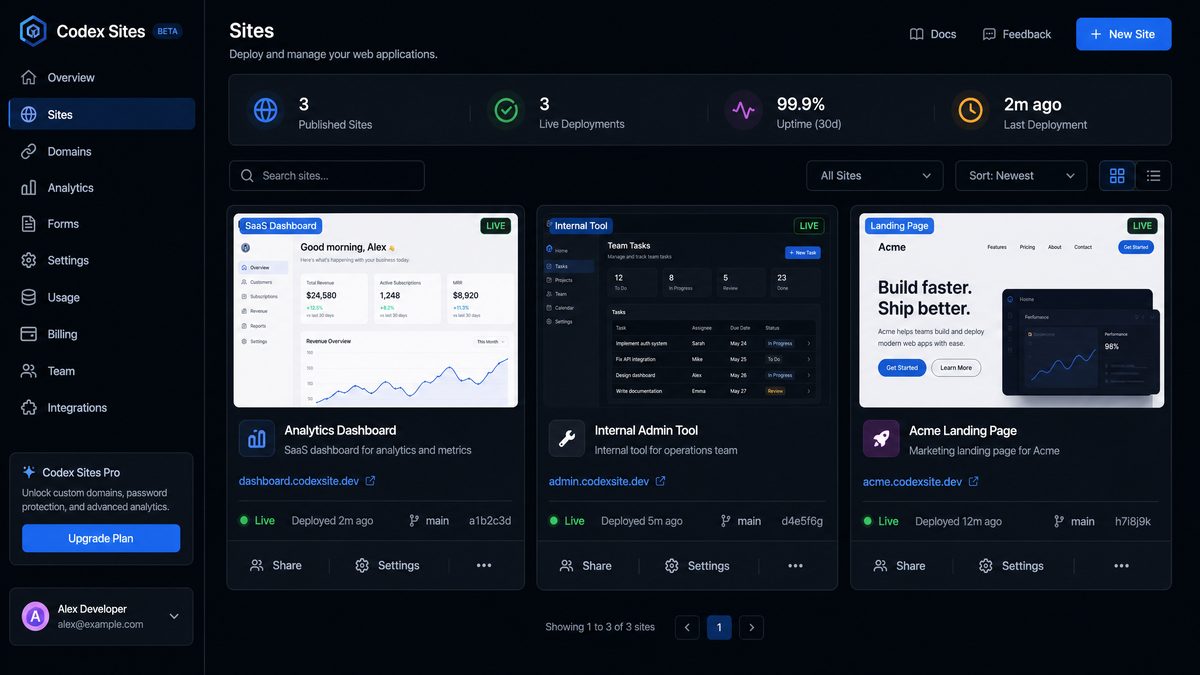
The Codex Sites Plugin is most powerful when used as an interactive product engineering partner. It can help create front-end applications, SaaS dashboards, internal tools, landing pages, data visualization interfaces, interactive prototypes, lightweight games, API-connected experiences, authentication flows, and deployment-ready site updates. The best prompts for this plugin describe the product goal, information architecture, UX states, styling system, data dependencies, and iteration strategy.
When using Codex for sites, treat the first generation as a structured prototype rather than a finished product. Ask for a working baseline with clean components, then chain follow-up prompts for authentication, responsiveness, accessibility, API integration, analytics, error handling, and deployment hardening. Codex performs better when each iteration has a clear scope and measurable acceptance criteria.
In enterprise contexts, the Sites Plugin should be guided with strict requirements for privacy, identity boundaries, test data handling, and production configuration. Avoid placing secrets in prompts. Instead, reference environment variables, secrets managers, or temporary values. If the plugin can deploy or update a live site, include a confirmation checkpoint before production changes.
| Prompt Name | Full Prompt | Expected Output | Best Practices |
|---|---|---|---|
| SaaS Executive Dashboard Generator | Act as a senior product engineer using the Codex Sites Plugin. Build a responsive SaaS executive dashboard for a B2B analytics platform called “Northstar Metrics.” Include routes for Overview, Revenue, Customers, Usage, Alerts, and Settings. Use mock data that reflects realistic SaaS KPIs: MRR, ARR, churn, expansion revenue, active accounts, trial conversion, support backlog, and feature adoption. The interface must include cards, trend charts, cohort tables, alert banners, filters, loading states, empty states, and error states. Use a clean enterprise design with accessible color contrast, keyboard-friendly navigation, and reusable components. After building, provide a component map, mock data schema, and a list of next steps for connecting real APIs. | A working dashboard site with structured navigation, realistic KPI visualization, reusable UI components, mock data, responsive layouts, and an implementation summary. | Specify business metrics, user roles, and required states. Ask for component reuse and data schemas so the prototype can evolve into production code. |
| Internal Operations Tool Builder | Use the Codex Sites Plugin to create an internal operations tool for a logistics team. The tool should manage shipment exceptions, delayed orders, customer escalations, and warehouse notes. Build a dashboard with queue filters, priority tags, editable status fields, timeline views, and an audit-note panel. Include mock users with roles: operations agent, supervisor, and admin. Implement role-aware UI behavior without real authentication yet, using a local mock role switcher. Include clear visual handling for overdue items and SLA breaches. Return the file structure, the data model, and recommendations for integrating with a real order management API. | An internal tool prototype with role-aware UI states, exception queues, editable controls, mock data, and documented integration points. | For internal tools, include operational workflows, auditability, role boundaries, and high-density data displays. Ask Codex to model the business process, not only the screen. |
| Conversion-Focused Landing Page | Create a high-converting landing page for an AI compliance monitoring product named “PolicyLens.” Target enterprise security, legal, and AI governance buyers. Include hero copy, social proof, feature sections, security posture, integrations, pricing CTA, FAQ, and a demo request form. Use professional SaaS styling, responsive sections, concise enterprise messaging, and trust-building content. Add basic form validation and a thank-you state without connecting to a backend. Include three alternate hero headline options in your final summary and explain the conversion rationale behind the layout. | A polished landing page with enterprise messaging, responsive design, validated form behavior, and conversion-focused copy recommendations. | Codex can generate copy and layout together, but you should define the buyer persona, objections, trust signals, and call-to-action hierarchy. |
| Data Visualization App with Drilldowns | Build an interactive data visualization app for a renewable energy portfolio. Use mock data for solar farms, wind assets, battery storage, output capacity, uptime, weather impact, maintenance events, and regional performance. Include a portfolio overview, asset detail pages, interactive charts, date range filters, region filters, and drilldown tables. Prioritize performance with memoized data transformations where appropriate. Include accessible chart labels and non-color-only indicators. Summarize the charting components, the mock data format, and how real telemetry APIs should be connected later. | A data visualization web app with filters, drilldowns, asset pages, accessibility-conscious charts, and API integration guidance. | Visualization prompts should define data dimensions, drilldown behavior, accessibility requirements, and performance expectations for larger datasets. |
| Interactive Investor Prototype | Use the Sites Plugin to create an interactive prototype for a fintech investor portal. The prototype should let users view portfolio allocation, capital calls, distributions, documents, investor messages, and tax statements. Use mocked private market fund data and include locked states for unavailable documents. Build a professional interface suitable for a design review with executives. Add clear disclaimers that all data is mock data. Include a final walkthrough script that a product manager can use in a stakeholder demo. | A clickable investor portal prototype with realistic screens, mock financial data, locked states, document views, and a stakeholder demo script. | For prototypes, ask for demo narratives and realistic sample data. This helps teams evaluate the workflow instead of judging only the visual design. |
| Browser Game Prototype | Create a browser-based strategy mini-game using the Codex Sites Plugin. The game is called “Incident Commander” and teaches engineering teams how to prioritize actions during a production outage. Build a playable loop with a timer, incident severity, resource allocation choices, event cards, score calculation, and end-of-game debrief. Use local state only. Include at least eight incident event cards and explain how the scoring model rewards good incident response behavior. Keep the interface responsive and accessible. | A playable training game with event logic, score mechanics, responsive UI, and a debrief explaining decisions and outcomes. | For games, define mechanics, win conditions, state transitions, and educational objectives. Ask for explainability if the game supports training or enablement. |
| Iterate on a Deployed Site from User Feedback | Inspect the current deployed site through the Codex Sites Plugin and apply a focused iteration based on this feedback: users do not understand the primary value proposition, the mobile hero section is too tall, the pricing CTA is below the fold on tablets, and the FAQ lacks security answers. Do not redesign the entire site. Make targeted changes to copy, spacing, CTA placement, and FAQ content. Preserve the existing visual identity and component structure. After the update, provide a before-and-after summary, list changed files, and note any assumptions you made. | Targeted site improvements based on user feedback, with preserved design consistency and a clear change report. | When iterating on deployed sites, constrain scope. Tell Codex what not to change, and request a before-and-after explanation for review. |
| Add Authentication UX to Existing App | Add authentication screens and protected-route behavior to the current site prototype. Create login, signup, password reset, email verification, and signed-out states. Use mock authentication only unless a configured provider already exists. Show how protected pages redirect unauthenticated users. Include role-specific navigation for admin and standard users. Do not store real credentials. Add clear temporary markers for future integration with an identity provider using environment variables. Provide a security checklist for converting the mock flow to production authentication. | Authentication UX screens, mock protected routing, role-aware navigation, and a production security checklist. | Separate authentication UX from real identity integration. Ask Codex to avoid storing secrets and to document the transition to production auth. |
| Connect Site to External API | Connect the existing dashboard to a REST API using the documented endpoint pattern provided in the project configuration. Replace mock data in the accounts, revenue, and alerts modules with API calls. Add loading, retry, and error states for each module. If credentials are required, reference environment variables only and do not hardcode secrets. Include a fallback mock-data mode for local development. Add a short API integration report that lists endpoints used, expected response shapes, error handling behavior, and files changed. | API-connected dashboard modules with safe environment variable usage, fallback local mode, and integration documentation. | Always request loading, error, retry, and fallback states. Make Codex document response assumptions so backend teams can validate them. |
| Accessibility and Performance Refactor | Audit the current site for accessibility, responsiveness, and front-end performance. Fix issues that can be safely addressed without changing the product scope. Focus on semantic HTML, ARIA only where needed, keyboard navigation, focus states, color contrast, image sizing, bundle efficiency, render performance, and layout stability. Preserve the visual design. After changes, provide a checklist of improvements, remaining risks, and manual tests a human should run with screen readers and mobile devices. | A safer, more accessible, and more performant site with a practical validation checklist. | Ask for preservation of visual design when refactoring. Require a manual testing checklist because accessibility cannot be fully validated by automation alone. |
| Design System Extraction | Review the existing generated site and extract a lightweight design system. Standardize typography, spacing, colors, buttons, form controls, cards, tables, badges, modals, and chart containers. Replace duplicated styling with reusable tokens or shared components according to the project stack. Do not change user-facing functionality. Provide a design system inventory, migration summary, and examples showing how future pages should use the shared components. | A refactored site with reusable design primitives, reduced duplication, and documentation for future implementation consistency. | After rapid prototyping, use Codex to consolidate. Design system extraction improves maintainability before additional features are added. |
| Production Readiness Pass for Site Deployment | Prepare the current Codex-generated site for production deployment. Check environment variable handling, build scripts, route behavior, metadata, SEO basics, analytics temporary markers, error boundaries, responsive behavior, accessibility essentials, dependency hygiene, and deployment configuration. Do not deploy to production without explicit confirmation. Produce a production readiness report with pass, fail, and needs-review categories. If safe fixes are available, implement them and list each change. | A production readiness assessment, safe fixes, and a clear list of deployment blockers or required human approvals. | Use this before launch. Include an explicit no-production-without-confirmation rule to prevent accidental deployment actions. |
For the Sites Plugin, prompt chaining works best when you move from broad creation to controlled refinement. A strong chain might be: generate the baseline application, extract a design system, add authentication UX, connect APIs, add observability temporary markers, run accessibility improvements, then prepare for deployment. Each step should be narrow enough for Codex to complete reliably and produce an auditable summary.
A useful expert technique is to ask Codex to maintain a “decision log” after every significant site change. The decision log should explain why a component was added, why a layout was chosen, what assumptions were made about users or data, and what should be validated by product or engineering stakeholders. This turns a generated site into a more manageable engineering artifact.
Developers who need to manage their plugin workflows from mobile devices should review our Codex Mobile Prompts Masterclass, which includes 30 production-ready prompts optimized for on-the-go development, covering quick code reviews, deployment monitoring, and issue triage directly from ChatGPT Mobile. Codex Mobile Prompts Masterclass: 30 Production-Ready Prompts for On-the-Go Development
Section 2: GitHub Integration Plugin — 12 Advanced Prompts for Repositories, Pull Requests, CI/CD, and Releases
The GitHub Integration Plugin is designed for software teams that want Codex to operate directly within repository workflows. It can inspect codebases, create branches, modify files, prepare commits, draft pull requests, summarize changes, review diffs, update documentation, manage release notes, and reason about CI/CD configuration. Used carefully, it becomes a force multiplier for repository maintenance and engineering process automation.
The primary risk with repository automation is uncontrolled scope. A high-quality GitHub prompt should specify the target repository, branch, issue or ticket reference, files or directories in scope, coding standards, test commands, commit message style, and pull request requirements. It should also define what Codex must not do: no unrelated refactors, no dependency upgrades unless requested, no secret exposure, no force pushes, and no production workflow changes without confirmation.
For enterprise teams, Codex should be aligned with branch protection, code ownership, required reviews, CI status checks, signed commits, and release approvals. Prompts should instruct Codex to prepare changes for human review rather than bypass governance. The strongest workflows use Codex to accelerate the mechanical work while leaving architectural decisions, security-sensitive changes, and production approvals under human control.
| Prompt Name | Full Prompt | Expected Output | Best Practices |
|---|---|---|---|
| Repository Health Audit | Use the GitHub Integration Plugin to inspect the repository on the default branch and produce a repository health audit. Review project structure, dependency management, test coverage signals, CI configuration, documentation quality, security-sensitive files, environment variable examples, stale scripts, and obvious maintainability risks. Do not modify files. Return a prioritized report with severity, evidence, affected paths, recommended fixes, and suggested follow-up prompts for safe remediation. | A structured repository audit with prioritized risks, file references, and remediation recommendations without code changes. | Start with read-only audits before allowing changes. This is especially important in unfamiliar repositories or regulated codebases. |
| Issue-to-Branch Implementation | Create a new branch from the latest default branch for issue #247. Inspect the issue, identify the required code changes, and implement only the requested behavior. Follow the repository’s existing coding style and avoid unrelated refactors. Add or update tests that directly cover the issue. Run the relevant test and lint commands if available. Commit changes with a conventional commit message referencing issue #247, then draft a pull request with summary, test evidence, risk notes, and review checklist. | A feature or bugfix branch, focused code changes, tests, commit, and draft PR tied to the issue. | Reference the issue ID and require limited scope. Ask for test evidence in the PR body so reviewers can validate quickly. |
| Automated Pull Request Review | Review the open pull request #389 as a senior code reviewer. Inspect the diff, changed tests, CI status, and related files needed for context. Do not push changes. Produce review comments grouped by correctness, security, performance, maintainability, test coverage, and documentation. Distinguish blocking issues from suggestions. Include exact file and line references where possible. If the PR is safe, state why; if not, provide a minimal remediation plan. | A structured PR review with severity levels, file references, and actionable remediation guidance. | Ask Codex to separate blockers from suggestions. This prevents review noise and makes automated review more acceptable to engineering teams. |
| Branch Cleanup and Synchronization Plan | Analyze repository branches and identify stale, merged, abandoned, or long-running branches. Do not delete branches automatically. Produce a branch cleanup plan that includes branch name, last commit date, author, merge status, open PR status, risk level, and recommended action. For long-running active branches, recommend synchronization steps with the default branch and highlight conflict risks. | A safe branch management report with cleanup recommendations and no destructive actions. | Never allow automated deletion without confirmation. Branch cleanup should be a two-step workflow: analysis first, execution after approval. |
| CI Pipeline Configuration Upgrade | Inspect the existing GitHub Actions workflows and improve the CI pipeline for reliability and speed. Add or update jobs for dependency installation, linting, type checking, unit tests, build verification, and artifact caching. Preserve existing deployment jobs unless explicitly required to change them. Use least-privilege permissions for workflow tokens. Avoid exposing secrets in logs. Open a pull request with workflow changes, explain each job, and include rollback instructions. | An improved CI workflow PR with caching, quality gates, least-privilege permissions, and clear documentation. | CI prompts should include security requirements and deployment preservation rules. Ask for rollback instructions for workflow changes. |
| Multi-Repository Dependency Update | Across the selected organization repositories, identify projects using the shared internal package “@company/auth-client” below version 4.2.0. Do not change repositories automatically until you provide a plan. For each repository, report current version, dependency file path, test command, CI status, and migration risk. After approval, create separate branches and pull requests per repository with the version update and any required code adjustments based on the package migration notes. | A multi-repo update plan followed, after approval, by scoped PRs for each affected repository. | Multi-repo workflows require inventory before execution. Use separate PRs to preserve ownership, review boundaries, and rollback flexibility. |
| Automated Documentation Refresh | Review the repository codebase and update developer documentation to match the current implementation. Focus on setup instructions, environment variables, scripts, API routes, architecture overview, testing commands, deployment notes, and troubleshooting. Do not invent undocumented behavior. If uncertainty exists, mark it as needs verification. Open a pull request containing documentation updates only, with a summary of sources used from the codebase. | A documentation-only PR that aligns README or docs content with current code and clearly flags uncertain areas. | Documentation prompts should prohibit invention. Require Codex to cite code paths or configuration files used as evidence. |
| Release Notes and Changelog Generator | Generate release notes for version 3.8.0 by reviewing merged pull requests, commits, labels, and closed issues since version 3.7.0. Group changes into Features, Fixes, Security, Performance, Breaking Changes, Deprecations, Documentation, and Internal. Identify contributors and include upgrade notes where needed. Do not create a release unless explicitly confirmed. Produce a changelog patch and a draft GitHub release body. | A structured changelog update and draft release notes based on repository history. | Release prompts should define the comparison range and categories. Include “do not publish” until a human validates the release content. |
| Code Owners and Review Routing Setup | Analyze repository directories and propose a CODEOWNERS file that routes reviews to the right teams: frontend, backend, platform, security, data, and documentation. Use existing directory structure and team naming conventions where available. Do not overwrite an existing CODEOWNERS file without showing a diff and rationale. Prepare a pull request with the proposed ownership rules, explain review impact, and identify any ambiguous areas needing human decision. | A CODEOWNERS proposal or update with mapped ownership, PR explanation, and flagged ambiguities. | Ownership automation must respect organizational conventions. Ask Codex to flag ambiguity instead of guessing sensitive ownership boundaries. |
| Security Patch Pull Request | Investigate the security advisory affecting the dependency named in the latest alert. Determine whether this repository is vulnerable based on actual usage, lockfile version, and reachable code paths. If an update is required, create a focused branch that upgrades the dependency to the minimum safe version. Run relevant tests and check for breaking changes. Draft a pull request with advisory context, risk assessment, test evidence, and deployment considerations. | A focused security remediation PR with vulnerability analysis, dependency update, tests, and deployment notes. | Security prompts should require reachability analysis and minimum safe updates. Avoid broad dependency upgrades unless justified. |
| Monorepo Package Change Coordinator | In this monorepo, implement the requested change to the shared UI package and update all affected consuming apps. First identify all package dependents and impacted components. Then make the smallest safe change in the shared package, update consumers, add tests or snapshots where appropriate, and run targeted validation commands. Create one pull request that includes an impact map, changed packages, test results, and migration notes for downstream teams. | A coordinated monorepo PR with shared package updates, consumer changes, validation evidence, and migration notes. | For monorepos, always ask for an impact map before changes. Require targeted validation to keep execution time reasonable. |
| Release Branch Stabilization | Prepare the release branch “release/2026.06” for final stabilization. Inspect open PRs targeting the branch, CI failures, unresolved release-blocker issues, version files, changelog status, and deployment workflow readiness. Do not merge or tag releases automatically. Produce a stabilization plan with blockers, owners if available, recommended cherry-picks, test commands, and go/no-go criteria. If there are safe documentation or metadata fixes, propose them separately. | A release stabilization report with blockers, recommendations, and go/no-go criteria without unauthorized merges or tags. | Release workflows should be conservative. Make Codex gather evidence and prepare plans before executing release-affecting actions. |
The GitHub Integration Plugin is particularly effective when prompts map to existing engineering rituals. For example, repository health audits can feed planning tickets, issue-to-branch prompts can accelerate sprint work, PR review prompts can support maintainers, and release-note prompts can reduce release manager overhead. The key is to keep Codex inside the same governance model your team already uses.
An expert prompt chain for a critical fix might look like this: perform a read-only audit of the issue, propose an implementation plan, wait for approval, create a branch, implement the minimal change, add tests, run validation, draft a PR, request a review from CODEOWNERS, and prepare deployment notes. Splitting the work into stages reduces the risk of broad, unreviewable changes.
Section 3: Custom Tool Orchestration — 11 Advanced Prompts for Plugin Chaining, Automated Pipelines, and Production Workflows
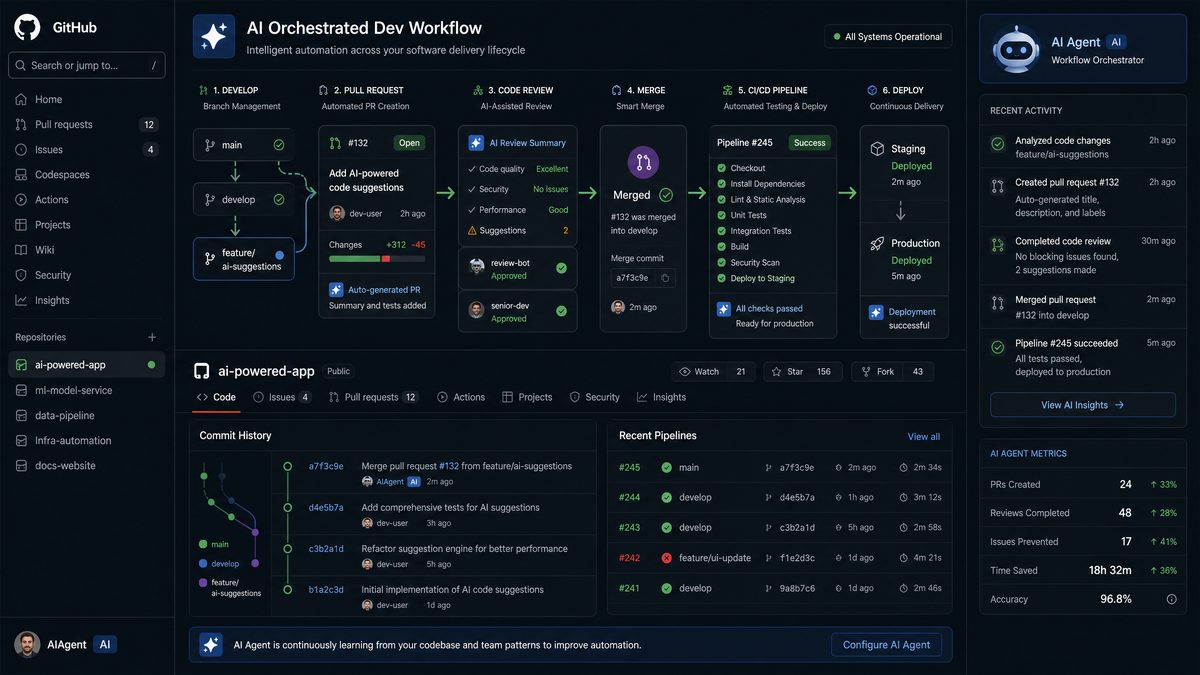
Custom Tool Orchestration is where Codex plugins become a system rather than a single assistant. In an orchestrated workflow, Codex may combine site generation, repository inspection, API documentation parsing, database schema review, CI validation, issue tracking, observability checks, deployment previews, and release documentation. The model’s value comes from coordinating these tools in the correct order, passing structured context between steps, and knowing when to stop for human approval.
Orchestration prompts should be explicit about tool sequence. If Codex needs to inspect a GitHub repository, build a site, run tests, draft documentation, and prepare a deployment plan, say so in order. Define what data each step should produce for the next step. For example, a repository analysis might output component inventory, API endpoints, environment variables, and test commands; the Sites Plugin can then use that inventory to build or update the UI; the GitHub Plugin can commit changes and draft a PR.
Error handling is critical in custom workflows. A production-ready orchestration prompt should tell Codex what to do if a tool fails, credentials are missing, tests fail, documentation conflicts with code, or deployment previews do not match expectations. The right behavior is usually to stop, preserve evidence, summarize the failure, and propose a recovery path rather than guessing or forcing completion.
| Prompt Name | Full Prompt | Expected Output | Best Practices |
|---|---|---|---|
| End-to-End Feature Pipeline | Orchestrate a full feature workflow using available Codex plugins. Start by inspecting the GitHub issue and repository context. Produce an implementation plan and wait for approval before modifying files. After approval, create a branch, implement the feature, update or create the required UI through the Sites Plugin if relevant, add tests, run validation, update documentation, and draft a pull request. If any tool step fails, stop and provide the failure evidence, affected stage, and recovery options. The final output should include branch name, changed files, tests run, PR draft, and deployment considerations. | A controlled end-to-end feature workflow with approval gate, implementation, validation, documentation, and PR preparation. | Use approval checkpoints before writes. Define failure behavior at the start so Codex does not continue after a broken tool step. |
| API-to-UI Integration Chain | Use custom tool orchestration to connect an existing front-end site to a backend API. First inspect API documentation, OpenAPI schema, or backend route files. Extract endpoints, request parameters, response shapes, authentication requirements, and error codes. Then inspect the front-end site and identify affected screens. Implement typed API clients, loading states, error states, retry behavior, and fallback development mocks. Run available tests and type checks. Draft a PR with an API contract summary and unresolved backend questions. | An API-integrated UI with typed clients, state handling, validation, and a PR documenting the API contract. | Make Codex extract the API contract before coding. This reduces mismatches between backend assumptions and front-end implementation. |
| Tool-Chained Design-to-Repository Workflow | Convert the provided product specification and design notes into a repository-ready implementation. First summarize requirements, user flows, data entities, and open questions. Then inspect the repository architecture and identify where the feature belongs. Use the Sites Plugin to build or update the relevant screens, then use the GitHub Integration Plugin to create a branch and prepare a PR. Include tests, documentation updates, and a reviewer guide. Stop if the specification conflicts with existing architecture and request clarification. | A structured conversion from product spec to implementation branch, with UI updates, tests, docs, and review guidance. | Require requirement summarization before implementation. Codex should surface conflicts early instead of embedding assumptions into code. |
| Automated Documentation Portal Pipeline | Create or update a developer documentation portal from repository source material. Inspect README files, API schemas, package docs, examples, and configuration files. Generate a navigable documentation site with sections for getting started, authentication, API reference, SDK usage, webhooks, deployment, troubleshooting, and changelog. Use the Sites Plugin for the documentation UI and the GitHub Plugin to prepare a documentation PR. Mark any uncertain claims as needs verification and include source paths for generated content. | A documentation portal site or update, source-grounded content, and a PR with verification notes. | Documentation orchestration should require source attribution. This prevents polished but inaccurate docs from entering production. |
| Production Deployment Readiness Orchestrator | Assess whether the current application is ready for production deployment. Chain repository inspection, site build validation, environment variable review, CI workflow review, dependency risk scan, accessibility check, API integration review, and documentation review. Do not deploy. Produce a go/no-go report with evidence, blockers, non-blocking risks, required approvals, rollback considerations, and a recommended launch checklist. If safe fixes are obvious, propose them as a separate implementation plan rather than applying them immediately. | A comprehensive production readiness report across code, site, CI, dependencies, accessibility, APIs, and documentation. | Separate assessment from remediation. Production readiness prompts should avoid silent fixes unless the team explicitly approves them. |
| Incident Response Automation Assistant | Act as an incident response automation assistant. Use available tools to inspect the latest failing CI runs, recent merged PRs, deployment history if available, and relevant application logs or error summaries provided in the workspace. Do not revert or deploy without approval. Identify the most likely regression source, affected components, mitigation options, and validation steps. If a hotfix is appropriate, propose the smallest safe branch plan and include rollback instructions. | An incident analysis report with probable cause, evidence, mitigation options, hotfix plan, and rollback guidance. | Incident prompts must forbid unauthorized deployment or rollback. Ask for evidence ranking because the first hypothesis may be wrong. |
| Multi-Plugin Release Manager | Coordinate a release candidate workflow across repository, documentation, and site assets. Inspect merged changes since the previous tag, update changelog drafts, verify version numbers, review CI status, check deployment preview links, update public documentation where needed, and prepare a release checklist. Do not tag, publish, or deploy without explicit confirmation. Return a release manager brief with readiness status, unresolved blockers, contributor summary, customer-facing notes, and internal migration notes. | A release candidate brief with changelog, CI status, docs readiness, preview validation, and approval checklist. | Release orchestration should preserve human approval for tagging and deployment. Ask Codex to prepare the release package, not finalize it unilaterally. |
| Custom Integration Builder | Build a custom integration workflow between the application and a third-party service. First inspect existing integration patterns in the repository. Then review the third-party API documentation provided in the workspace. Design a secure integration using environment variables for credentials, typed request and response handling, retryable errors, rate limit handling, logging boundaries, and test mocks. Implement the integration in the appropriate service layer, add tests, update documentation, and prepare a PR. Stop if required credentials or scopes are unclear. | A secure integration implementation with tests, documentation, PR draft, and clear handling for credentials and rate limits. | Integration prompts should include security, rate limits, logging boundaries, and stop conditions for unclear permissions. |
| Error-Handling and Resilience Refactor | Use repository inspection and site analysis tools to improve error handling across the application. Identify API calls, form submissions, background jobs, and UI states that fail without useful feedback. Implement a consistent error taxonomy, user-facing error messages, retry behavior where safe, logging hooks without sensitive data, and tests for critical failure paths. Avoid changing core business logic. Produce a PR with before-and-after examples and a resilience checklist. | A resilience-focused refactor with consistent errors, safer retries, tests, and documentation of failure behavior. | Tell Codex not to change business logic. Error-handling refactors should improve observability and UX without altering expected outcomes. |
| Governed Enterprise Workflow | Run a governed enterprise automation workflow for the requested change. Before modifying files, classify the change by risk level, affected systems, data sensitivity, compliance considerations, required reviewers, and deployment impact. If risk is medium or high, stop after producing the plan and request approval. If approved, proceed with branch creation, implementation, tests, documentation, PR draft, and release notes. Include an audit trail with decisions, tool actions, files changed, and validation evidence. | A governance-aware workflow with risk classification, approval gates, audit trail, implementation, and validation evidence. | Enterprise teams should embed governance into the prompt itself. Risk classification and audit trails make AI-assisted work easier to approve. |
| Continuous Improvement Backlog Generator | Inspect the repository, site, CI workflows, documentation, and recent issue history to generate a continuous improvement backlog. Do not modify files. Group recommendations into developer experience, reliability, security, performance, accessibility, documentation, testing, and product UX. For each item, include impact, effort, risk, evidence, suggested owner type, and a ready-to-use follow-up prompt. Prioritize the top ten items for the next engineering cycle. | A prioritized engineering improvement backlog with evidence, effort estimates, risk levels, and follow-up prompts. | This is useful for planning. Ask Codex to provide ready-to-use follow-up prompts so teams can convert recommendations into controlled actions. |
Custom orchestration is where advanced prompt design has the greatest leverage. The prompt must become a workflow contract. It should define inputs, tool order, intermediate artifacts, approval gates, error behavior, final deliverables, and human review responsibilities. Without that structure, plugin chaining can become unpredictable because each tool call may change the available context or expose new assumptions.
A reliable orchestration pattern is “inspect, plan, approve, implement, validate, document, summarize.” The inspection phase gathers evidence. The plan phase turns evidence into a proposed action. The approval phase prevents accidental writes. The implementation phase makes focused changes. The validation phase runs tests and checks. The documentation phase updates human-facing knowledge. The summary phase gives reviewers an audit trail.
Expert Tips for Prompt Chaining and Multi-Step Codex Workflows
Prompt chaining is the practice of breaking a large objective into a sequence of bounded prompts where each step produces structured output for the next. In Codex plugin environments, chaining is often more reliable than a single mega-prompt because it gives humans a chance to review assumptions, approve plans, and redirect the workflow before code or deployment assets are changed.
The most effective chains use durable artifacts. Instead of letting Codex carry all context implicitly, ask it to create explicit outputs such as implementation plans, API contract summaries, component inventories, test reports, release checklists, and audit trails. These artifacts become reviewable checkpoints and reduce the chance that a later step will forget an earlier constraint.
For example, a strong site-to-repository chain might start with a product requirements prompt, then ask Codex to create a UI prototype, then extract reusable components, then connect APIs, then prepare a GitHub branch, then draft a pull request. Each phase has a narrow purpose and a clear exit condition. If the prototype fails to meet product requirements, you can correct that step before Codex touches repository code.
Recommended chain:
1. Inspect context and summarize requirements.
2. Produce an implementation plan with risks and assumptions.
3. Wait for explicit approval before file changes.
4. Implement the smallest complete version.
5. Add tests, validation, and error handling.
6. Update documentation and release notes.
7. Draft a pull request or deployment readiness report.
8. Stop for human review before production actions.
When chaining prompts, use consistent vocabulary for constraints. If you tell Codex “do not change deployment workflows without approval” in the first prompt, repeat that constraint in later prompts that interact with CI/CD or release tooling. Models can lose emphasis across long sessions, so important safety constraints should be restated at every high-risk step.
Another expert technique is to require a “confidence and uncertainty” section in Codex outputs. This is especially valuable when tools expose incomplete information. Codex should state what it verified, what it inferred, what it could not access, and what requires human confirmation. This makes the workflow more transparent and reduces false certainty in generated summaries.
For multi-repository or multi-plugin work, use inventory prompts before modification prompts. Ask Codex to map repositories, packages, services, dependencies, owners, workflow files, deployment paths, and documentation sources. Only after you approve the inventory should Codex create branches or change files. This approach prevents broad automation from becoming uncontrolled automation.
Production Safety Patterns for Codex Plugin Prompts
Production safety depends on explicit boundaries. A safe prompt states which actions are allowed, which actions require approval, and which actions are forbidden. For Codex plugins, common approval-required actions include production deployment, release tagging, branch deletion, secret rotation, database migration execution, infrastructure changes, dependency major-version upgrades, and changes to authentication or authorization logic.
Use environment variable temporary markers instead of credentials. If Codex needs to wire an API client, instruct it to reference variables such as API_BASE_URL, SERVICE_API_KEY, OAUTH_CLIENT_ID, or WEBHOOK_SECRET without exposing real values. If a tool reports that a credential is missing, Codex should stop and explain which variable is required rather than attempting a workaround.
Ask Codex to preserve evidence. For repository changes, evidence includes test commands, CI results, changed files, issue links, dependency versions, and relevant logs. For site changes, evidence includes component maps, screenshots or preview links where available, accessibility checks, route lists, and API behavior. For release workflows, evidence includes commit ranges, PR lists, changelog entries, artifact versions, and unresolved blockers.
Do not rely on Codex as the sole security reviewer for sensitive changes. Use it to accelerate analysis, patch preparation, documentation, and test coverage, but maintain human review for authentication, authorization, encryption, data retention, logging, compliance, infrastructure, and production deployment decisions. The best enterprise workflows make Codex faster than manual work while keeping accountability with the engineering organization.
A useful safety pattern is the “two-prompt approval gate.” The first prompt asks Codex to inspect and plan without changes. The second prompt, issued only after review, authorizes a specific plan. This pattern is simple, auditable, and effective for reducing unintended modifications.
Approval-gated prompt pattern:
Prompt 1: Inspect the repository and propose a plan. Do not modify files.
Human review: Approve, reject, or revise the plan.
Prompt 2: Implement only the approved plan. Do not expand scope.
Codex output: Changed files, tests run, risks, and PR draft.
How to Customize These 35 Prompts for Your Stack
To adapt these prompts for your environment, add stack-specific constraints. For a Next.js application, define whether the project uses the App Router or Pages Router, server components, client components, middleware, edge runtime, or a specific styling system. For a Python backend, specify framework, dependency manager, test runner, typing expectations, and deployment target. For a monorepo, define package manager, workspace layout, affected packages, and build commands.
Add organization-specific engineering conventions. These may include branch naming rules, conventional commit formats, pull request templates, required labels, issue tracker references, CODEOWNERS expectations, security review triggers, documentation style guides, and release note formats. Codex is more reliable when it can conform to an explicit process rather than infer process from partial repository history.
For front-end work, include design constraints such as design tokens, component libraries, accessibility standards, supported browsers, responsive breakpoints, charting libraries, and analytics requirements. For backend and integration work, include API versioning rules, timeout policies, retry rules, idempotency requirements, observability standards, and data privacy boundaries.
For enterprise AI governance, customize prompts with data handling rules. Specify whether Codex may inspect customer data, logs, production traces, or secrets. If not, say so explicitly. In many environments, Codex should use sanitized examples, schemas, synthetic data, or local mock fixtures rather than live production records.
The best teams maintain an internal prompt library for recurring Codex workflows. Each prompt should have an owner, intended use case, required permissions, known limitations, approval requirements, and example outputs. Over time, this library becomes part of the engineering platform, similar to templates for pull requests, runbooks, and deployment checklists.
Final Recommendations
Codex plugins are most valuable when they are treated as controlled engineering tools rather than open-ended chat interfaces. The difference is operational discipline. Strong prompts define the task, context, constraints, validation, output format, and approval gates. Weak prompts rely on the model to infer too much and often produce changes that are difficult to review.
For the Codex Sites Plugin, focus on product context, user flows, design systems, API contracts, accessibility, and deployment readiness. For the GitHub Integration Plugin, focus on branch discipline, scoped changes, tests, pull request quality, repository governance, and release safety. For Custom Tool Orchestration, focus on sequence, evidence, handoffs, error handling, and human approval.
The 35 prompts in this masterclass are designed to be copied, adapted, and chained. Use them as starting points for your own prompt operating system. Add your stack, your repositories, your governance model, your testing commands, and your risk boundaries. The more precisely you define the workflow, the more reliably Codex can assist with real production engineering work.
By June 2026, the competitive advantage in AI-assisted development is no longer access to code generation alone. It is the ability to design repeatable, safe, reviewable workflows that combine human judgment with plugin-powered execution. Teams that master this discipline will ship faster, maintain higher quality, and reduce operational friction without sacrificing control.
Access 40,000+ AI Prompts for ChatGPT, Claude & Codex — Free!
Subscribe to get instant access to our complete Notion Prompt Library — the largest curated collection of prompts for ChatGPT, Claude, OpenAI Codex, and other leading AI models. Optimized for real-world workflows across coding, research, content creation, and business.