
How to Build and Deploy an iOS App With Codex in 2026: Complete Step-by-Step Guide
How to Build and Deploy an iOS App With Codex in 2026: Complete Step-by-Step Guide
Author: Markos Symeonides
Building a native iOS app in 2026 is no longer just a matter of writing Swift code manually in Xcode. With OpenAI Codex available through ChatGPT Pro and Enterprise workflows, developers can plan architecture, generate SwiftUI interfaces, scaffold persistence, implement networking, write tests, debug runtime issues, and prepare App Store assets faster than traditional development alone. The advantage is not that Codex “builds the app for you,” but that it acts as a highly capable engineering assistant when you give it clear constraints, project context, and iterative feedback.
This tutorial walks through a practical end-to-end workflow for building and deploying a native iOS app with Codex assistance in June 2026. You will create a simple but realistic SwiftUI app called FocusBoard, a lightweight task and productivity tracker with persistent tasks, remote sync-ready networking structure, tests, and a TestFlight deployment path. The example is intentionally small enough to follow in one sitting but structured like a production iOS project.
The guide assumes you are comfortable with Xcode basics, Swift syntax, and the iOS simulator, but it does not assume you are an expert in SwiftData, API architecture, or App Store submission. Each step includes practical prompt templates you can paste into Codex, adjust for your app, and use as repeatable development patterns.
What You’ll Build and How Codex Fits Into the Workflow
In this tutorial, you will build a native iOS app using SwiftUI, SwiftData, async networking, unit tests, and Xcode’s standard deployment pipeline. Codex will help generate code, review architecture, identify compile-time and runtime issues, write test cases, and prepare release assets. You will still make final engineering decisions, run the app locally, validate behavior on real devices, and manage App Store Connect submission details.
The sample app, FocusBoard, includes a task list, task creation form, task detail screen, local persistence, and a networking layer that can fetch starter tasks from a JSON API. The implementation uses SwiftUI for the interface and SwiftData for local persistence because SwiftData is now the preferred high-level persistence framework for many new Apple-platform apps. If your organization still uses Core Data, the same prompting strategy applies, and this guide also explains where Core Data may be preferable.
Codex is most effective when you use it as a structured collaborator instead of asking for an entire app in one vague prompt. A strong iOS workflow in 2026 usually looks like this: define product requirements, ask Codex to propose architecture, generate a minimal vertical slice, compile in Xcode, paste errors back into Codex, add tests, refine edge cases, and then prepare deployment. This loop keeps you in control while using AI to reduce repetitive coding and research time.
Developers who want to continue their iOS development workflow on the go should explore our complete guide to using Codex on ChatGPT Mobile, which covers how to review code, debug issues, and manage projects directly from your iPhone or iPad. How to Use Codex on ChatGPT Mobile: Complete Guide to AI Coding From Your Phone
| Development Area | What You Do | What Codex Helps With | What You Must Validate |
|---|---|---|---|
| Architecture | Define app goals, platforms, data model, constraints, and release target. | Suggests folder structure, SwiftUI state management, persistence strategy, and service boundaries. | Whether the design matches your business requirements, team standards, and long-term roadmap. |
| UI Development | Create Xcode project, run simulator, review generated SwiftUI code. | Generates views, navigation, forms, preview data, accessibility labels, and reusable components. | Visual quality, usability, accessibility behavior, and device-specific layout edge cases. |
| Persistence | Choose SwiftData or Core Data and confirm data lifecycle rules. | Creates model objects, queries, insert/delete/update flows, and migration guidance. | Data integrity, migration risks, performance, and iCloud or enterprise sync requirements. |
| Networking | Provide API documentation, authentication rules, and error-handling expectations. | Builds Codable models, URLSession clients, async/await methods, and mock services. | Security, retry behavior, backend compatibility, logging, and privacy compliance. |
| Testing and Release | Run tests, archive builds, upload to App Store Connect, manage TestFlight groups. | Writes unit tests, UI test outlines, debugging checklists, metadata drafts, and privacy policy summaries. | Actual device behavior, legal compliance, App Store policy alignment, and production readiness. |
Prerequisites: Accounts, Tools, and Project Setup
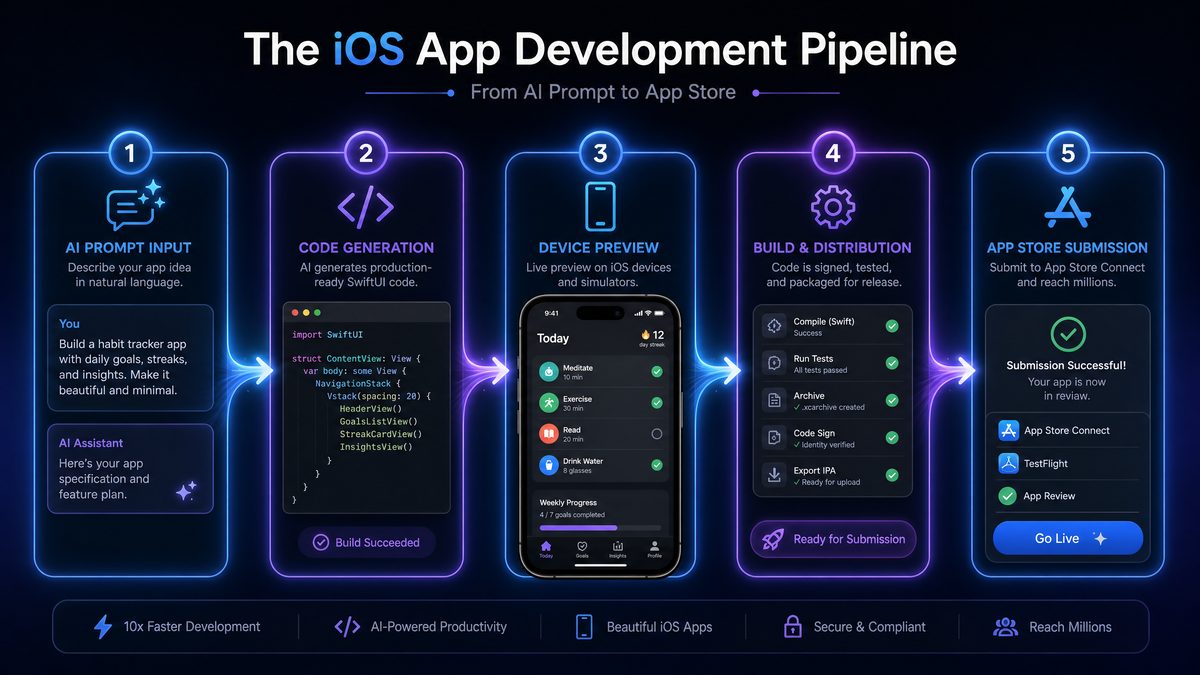
Before you start generating code with Codex, set up your development environment. In 2026, the minimum practical stack for modern native iOS development is a recent Mac running the latest stable macOS release, the current stable Xcode version from the Mac App Store or Apple Developer Downloads, a ChatGPT Pro or Enterprise account with access to Codex-capable coding workflows, and an Apple Developer Program membership for device testing, TestFlight, and App Store distribution.
You should also decide where Codex will operate. Some developers use Codex inside ChatGPT by pasting project files and error logs into a conversation. Others use Codex through an IDE, terminal, repository-connected workspace, or enterprise-approved environment. The safest workflow for teams is to connect Codex only to repositories and files that are approved for AI-assisted development and to avoid sharing production secrets, private keys, real customer data, or unreleased confidential information outside approved enterprise controls.
Install Xcode and launch it once so that it installs required components. Then open Xcode settings and confirm that your Apple ID is added under Accounts. If you are part of an organization, verify that your developer role allows you to create bundle identifiers, provisioning profiles, certificates, App Store Connect app records, and TestFlight builds. Missing Apple permissions are one of the most common non-code blockers during deployment.
For this tutorial, create a new Xcode project using iOS App, choose SwiftUI as the interface, choose Swift as the language, and enable SwiftData if Xcode offers that option. Name the project FocusBoard. Use a bundle identifier such as com.yourcompany.FocusBoard. If you do not have a company domain, use a reverse-DNS identifier associated with your Apple Developer account.
The recommended project organization for this tutorial is simple but scalable. You can ask Codex to create this structure after the project exists, or you can add groups manually in Xcode. Use groups named Models, Views, ViewModels, Services, Persistence, Networking, and Tests. For a small app, you may not need every group immediately, but this structure gives Codex a clear target when generating files.
- ChatGPT Pro or Enterprise account: Required for sustained Codex-assisted development, larger code context, and professional workflows.
- Xcode installed: Use the latest stable release compatible with your deployment target.
- Apple Developer account: Required for TestFlight, App Store Connect, signing certificates, and production distribution.
- A real iPhone for testing: The simulator is useful, but camera, notifications, background behavior, keychain, networking, and performance should be validated on hardware.
- Source control: Use Git from the beginning so you can review Codex-generated changes and revert safely.
Once your iOS app is built, streamlining your deployment pipeline becomes critical. Our Codex CLI Prompts Masterclass provides 40 advanced prompts for automating code reviews, managing multi-agent development workflows, and configuring CI/CD pipelines that integrate seamlessly with Xcode and TestFlight. Codex CLI Prompts Masterclass: 40 Advanced Prompts for Multi-Agent Development, Code Review, and CI/CD Automation
Step 1: Planning Your App Architecture With Codex
The highest-leverage use of Codex happens before you generate any Swift code. If you ask Codex to “make an iOS app,” you will usually get a shallow prototype. If you give Codex product goals, platform constraints, state management preferences, persistence requirements, API expectations, privacy constraints, and testing requirements, it can produce a plan that resembles a senior engineer’s implementation brief.
For FocusBoard, define the first version as a task tracker with local persistence and a remote import feature. Users can create tasks, mark tasks complete, set priorities, add notes, and optionally import starter tasks from a remote endpoint. You want SwiftUI, SwiftData, async/await networking, accessible UI, and unit tests for model and networking logic. You also want the architecture to remain simple enough for a solo developer or small team to maintain.
Use this planning prompt with Codex at the beginning of your project. Paste it into your Codex-enabled ChatGPT session and adjust the app description for your own product.
You are my senior iOS architect. I am building a native iOS app in Xcode in June 2026.

App name: FocusBoard
Platform: iPhone first, iPad later
Language/UI: Swift, SwiftUI
Persistence: SwiftData unless there is a strong reason to use Core Data
Networking: URLSession with async/await
Testing: XCTest unit tests and lightweight UI test plan
Account requirements: no user login in version 1
Primary features:
1. List tasks
2. Create and edit tasks
3. Mark tasks complete/incomplete
4. Set priority: low, medium, high
5. Add optional notes
6. Import starter tasks from a remote JSON endpoint

Please propose:
- A practical folder structure
- Core models
- SwiftUI screens and navigation flow
- Persistence design
- Networking design
- Error-handling strategy
- Testing plan
- Risks or decisions I should make before coding

Keep the plan suitable for a small production app, not a toy demo.
Codex should return a plan with files such as FocusTask.swift, TaskListView.swift, TaskEditorView.swift, TaskDetailView.swift, TaskImportService.swift, and perhaps AppError.swift. Review the plan before accepting it. If Codex suggests overengineering, such as adding a repository layer, dependency injection container, coordinator architecture, and offline sync engine for a small v1 app, ask it to simplify. If it suggests placing all logic in SwiftUI views, ask it to separate service logic and testable components.
A useful follow-up prompt is to ask Codex to create a “vertical slice” rather than the entire application at once. A vertical slice is one complete path through the app: model, persistence, list UI, add form, and basic tests. This reduces integration risk and gives you a running app quickly.
Refine the plan into a first vertical slice.

The first slice should include:
- SwiftData model for a task
- Task list view sorted by creation date
- Add task form
- Toggle completion
- Delete task
- SwiftUI previews with sample data if possible
- Minimal unit tests for task initialization and priority mapping

Do not generate networking code yet. Give me file-by-file implementation steps so I can add and compile incrementally in Xcode.
At this stage, create a Git commit with your empty Xcode project. Then add Codex-generated files one at a time, compiling after each meaningful change. This is slower than dumping a complete generated app into Xcode, but it prevents hidden errors from accumulating. The best AI-assisted development loop is incremental: prompt, apply, compile, test, correct, commit.
Step 2: Generating SwiftUI Views and Navigation With Codex
Once the architecture is clear, ask Codex to generate the SwiftData model and SwiftUI views. In modern SwiftUI development, navigation should be explicit and easy to reason about. For FocusBoard, a NavigationStack with a list, toolbar add button, sheet-based editor, and detail navigation is sufficient. Avoid complex navigation abstractions until the app requires them.
Start with the model. In SwiftData, models are typically classes annotated with @Model. The task priority can be represented as a String-backed enum so it is easy to persist and display. Ask Codex to generate a model that is friendly to SwiftData and UI display.
Generate a SwiftData model file named FocusTask.swift for my FocusBoard app.

Requirements:
- Use SwiftData @Model
- Properties: id, title, notes, isCompleted, priorityRawValue, createdAt, updatedAt
- Create a TaskPriority enum with cases low, medium, high
- Provide a computed priority property that maps to priorityRawValue
- Include a safe initializer with sensible defaults
- Make the code compatible with SwiftUI display
- Keep it production-readable and avoid unnecessary abstractions
The generated model should look similar to this. If Codex produces a slightly different version, verify that it compiles with your Xcode version and SwiftData configuration.
import Foundation
import SwiftData

enum TaskPriority: String, CaseIterable, Identifiable, Codable {
    case low
    case medium
    case high

    var id: String { rawValue }

    var displayName: String {
        switch self {
        case .low:
            return "Low"
        case .medium:
            return "Medium"
        case .high:
            return "High"
        }
    }

    var sortRank: Int {
        switch self {
        case .high:
            return 0
        case .medium:
            return 1
        case .low:
            return 2
        }
    }
}

@Model
final class FocusTask {
    var id: UUID
    var title: String
    var notes: String
    var isCompleted: Bool
    var priorityRawValue: String
    var createdAt: Date
    var updatedAt: Date

    var priority: TaskPriority {
        get {
            TaskPriority(rawValue: priorityRawValue) ?? .medium
        }
        set {
            priorityRawValue = newValue.rawValue
            updatedAt = Date()
        }
    }

    init(
        id: UUID = UUID(),
        title: String,
        notes: String = "",
        isCompleted: Bool = false,
        priority: TaskPriority = .medium,
        createdAt: Date = Date(),
        updatedAt: Date = Date()
    ) {
        self.id = id
        self.title = title
        self.notes = notes
        self.isCompleted = isCompleted
        self.priorityRawValue = priority.rawValue
        self.createdAt = createdAt
        self.updatedAt = updatedAt
    }

    func toggleCompletion() {
        isCompleted.toggle()
        updatedAt = Date()
    }

    func update(title: String, notes: String, priority: TaskPriority) {
        self.title = title.trimmingCharacters(in: .whitespacesAndNewlines)
        self.notes = notes.trimmingCharacters(in: .whitespacesAndNewlines)
        self.priority = priority
        self.updatedAt = Date()
    }
}
Next, configure your app entry point with a SwiftData model container. If you created the Xcode project with SwiftData enabled, you may already have similar code. Ask Codex to adapt your existing FocusBoardApp.swift rather than replacing it blindly.
Here is my current FocusBoardApp.swift. Update it to configure SwiftData for FocusTask and keep the code minimal. Explain any changes before giving the final code.

[paste current file]
A minimal app entry point usually looks like this:
import SwiftUI
import SwiftData

@main
struct FocusBoardApp: App {
    var body: some Scene {
        WindowGroup {
            TaskListView()
        }
        .modelContainer(for: FocusTask.self)
    }
}
Now generate the task list. The view should use @Environment(\.modelContext) for inserts and deletes, and @Query to fetch tasks. Prompt Codex for a production-quality SwiftUI list with empty state, add sheet, delete support, and accessibility labels.
Generate TaskListView.swift for FocusBoard.

Requirements:
- SwiftUI view using NavigationStack
- Fetch FocusTask objects with @Query sorted by createdAt descending
- Show an empty state when there are no tasks
- List rows show title, priority, completion status, and optional notes preview
- Toolbar button opens an add task sheet
- Swipe delete support
- Tapping a row navigates to TaskDetailView
- Completion toggle should update the SwiftData model
- Include accessibility labels for important controls
- Assume TaskEditorView and TaskDetailView will exist
Here is a practical implementation you can use as a baseline:
import SwiftUI
import SwiftData

struct TaskListView: View {
    @Environment(\.modelContext) private var modelContext

    @Query(sort: \FocusTask.createdAt, order: .reverse)
    private var tasks: [FocusTask]

    @State private var isShowingAddTask = false

    var body: some View {
        NavigationStack {
            Group {
                if tasks.isEmpty {
                    ContentUnavailableView(
                        "No Tasks Yet",
                        systemImage: "checklist",
                        description: Text("Add your first task to start organizing your work.")
                    )
                } else {
                    List {
                        ForEach(tasks) { task in
                            NavigationLink {
                                TaskDetailView(task: task)
                            } label: {
                                TaskRowView(task: task)
                            }
                            .swipeActions(edge: .leading) {
                                Button {
                                    task.toggleCompletion()
                                } label: {
                                    Label(
                                        task.isCompleted ? "Mark Incomplete" : "Complete",
                                        systemImage: task.isCompleted ? "arrow.uturn.backward" : "checkmark"
                                    )
                                }
                                .tint(task.isCompleted ? .orange : .green)
                            }
                        }
                        .onDelete(perform: deleteTasks)
                    }
                }
            }
            .navigationTitle("FocusBoard")
            .toolbar {
                ToolbarItem(placement: .topBarTrailing) {
                    Button {
                        isShowingAddTask = true
                    } label: {
                        Label("Add Task", systemImage: "plus")
                    }
                    .accessibilityLabel("Add a new task")
                }
            }
            .sheet(isPresented: $isShowingAddTask) {
                TaskEditorView()
            }
        }
    }

    private func deleteTasks(at offsets: IndexSet) {
        for index in offsets {
            modelContext.delete(tasks[index])
        }
    }
}

struct TaskRowView: View {
    let task: FocusTask

    var body: some View {
        HStack(alignment: .top, spacing: 12) {
            Image(systemName: task.isCompleted ? "checkmark.circle.fill" : "circle")
                .foregroundStyle(task.isCompleted ? .green : .secondary)
                .font(.title3)
                .accessibilityHidden(true)

            VStack(alignment: .leading, spacing: 4) {
                Text(task.title)
                    .font(.headline)
                    .strikethrough(task.isCompleted)

                if !task.notes.isEmpty {
                    Text(task.notes)
                        .font(.subheadline)
                        .foregroundStyle(.secondary)
                        .lineLimit(2)
                }

                Text(task.priority.displayName)
                    .font(.caption)
                    .padding(.horizontal, 8)
                    .padding(.vertical, 4)
                    .background(priorityColor.opacity(0.15))
                    .foregroundStyle(priorityColor)
                    .clipShape(Capsule())
            }
        }
        .accessibilityElement(children: .combine)
        .accessibilityLabel("\(task.title), priority \(task.priority.displayName), \(task.isCompleted ? "completed" : "not completed")")
    }

    private var priorityColor: Color {
        switch task.priority {
        case .high:
            return .red
        case .medium:
            return .blue
        case .low:
            return .gray
        }
    }
}
Next, generate the editor. For a small app, the same editor can handle creation and editing if you pass an optional task. When creating a task, it inserts a new FocusTask. When editing, it updates the existing model. Ask Codex to make the form validate empty titles and dismiss cleanly.
Generate TaskEditorView.swift.

Requirements:
- SwiftUI Form
- Can create a new FocusTask when task is nil
- Can edit an existing FocusTask when task is provided
- Fields: title, notes, priority picker
- Disable Save when title is blank
- Use @Environment modelContext and dismiss
- Add Cancel and Save toolbar buttons
- Keep state initialized correctly for both create and edit modes
import SwiftUI
import SwiftData
struct TaskEditorView: View {
@Environment(\.modelContext) private var modelContext
@Environment(\.dismiss) private var dismiss
private let task: FocusTask?
@State private var title: String
@State private var notes: String
@State private var priority: TaskPriority
init(task: FocusTask? = nil) {
self.task = task
_title = State(initialValue: task?.title ?? "")
_notes = State(initialValue: task?.notes ?? "")
_priority = State(initialValue: task?.priority ?? .medium)
}
var body: some View {
NavigationStack {
Form {
Section("Task") {
TextField("Title", text: $title)
.textInputAutocapitalization(.sentences)
TextField("Notes", text: $notes, axis: .vertical)
.lineLimit(4, reservesSpace: true)
}
Section("Priority") {
Picker("Priority", selection: $priority) {
ForEach(TaskPriority.allCases) { priority in
Text(priority.displayName).tag(priority)
}
}
.pickerStyle(.segmented)
}
}
.navigationTitle(task == nil ? "New Task" : "Edit Task")
.toolbar {
ToolbarItem(placement: .cancellationAction) {
Button("Cancel") {
dismiss()
}
}
ToolbarItem(placement: .confirmationAction) {
Button("Save") {
save()
}
.disabled(trimmedTitle.isEmpty)
}
}
}
}
private var trimmedTitle: String {
title.trimmingCharacters(in: .whitespacesAndNewlines)
}
private func save() {
if let task {
task.update(title: title, notes: notes, priority: priority)
} else {
let newTask = FocusTask(
title: trimmedTitle,
notes: notes.trimmingCharacters(in: .whitespacesAndNewlines),
priority: priority
)
modelContext.insert(newTask)
}
dismiss()
}
}Finally, create the detail screen. It should display the task, allow completion toggling, and open the editor for updates. This demonstrates how SwiftData model objects can be passed into SwiftUI screens and modified through bound actions.
import SwiftUI

struct TaskDetailView: View {
    let task: FocusTask

    @State private var isShowingEditor = false

    var body: some View {
        Form {
            Section("Status") {
                Toggle("Completed", isOn: completionBinding)
            }

            Section("Details") {
                LabeledContent("Title", value: task.title)
                LabeledContent("Priority", value: task.priority.displayName)

                if !task.notes.isEmpty {
                    VStack(alignment: .leading, spacing: 8) {
                        Text("Notes")
                            .font(.headline)
                        Text(task.notes)
                            .foregroundStyle(.secondary)
                    }
                }
            }

            Section("Dates") {
                LabeledContent("Created", value: task.createdAt.formatted(date: .abbreviated, time: .shortened))
                LabeledContent("Updated", value: task.updatedAt.formatted(date: .abbreviated, time: .shortened))
            }
        }
        .navigationTitle("Task")
        .toolbar {
            ToolbarItem(placement: .topBarTrailing) {
                Button("Edit") {
                    isShowingEditor = true
                }
            }
        }
        .sheet(isPresented: $isShowingEditor) {
            TaskEditorView(task: task)
        }
    }

    private var completionBinding: Binding<Bool> {
        Binding(
            get: { task.isCompleted },
            set: { newValue in
                task.isCompleted = newValue
                task.updatedAt = Date()
            }
        )
    }
}
Build and run the app in the simulator. Create a few tasks, close and reopen the app, and verify that the tasks persist. If Xcode reports errors, paste the exact compiler output and the relevant file into Codex. Avoid paraphrasing errors. The exact message usually contains the type mismatch, missing import, deployment target problem, or SwiftData macro issue Codex needs to diagnose.
Step 3: Adding Data Persistence With SwiftData or Core Data via Codex Prompts
For new iOS apps in 2026, SwiftData is usually the best starting point when your data model is straightforward and local-first. It integrates well with SwiftUI, reduces boilerplate compared with Core Data, and supports common persistence needs. Core Data remains relevant for mature apps, complex migrations, high-volume data models, legacy codebases, or teams with existing Core Data infrastructure. Codex can help with either approach, but you should choose deliberately.
In FocusBoard, SwiftData handles local tasks. The key production considerations are model evolution, validation, uniqueness, migration, and error handling. The simple model above is enough for a first release, but before shipping you should decide whether task IDs must remain stable across devices, whether deletion should be permanent or soft-deleted, and whether you will add cloud sync later. These decisions affect your data model even if you do not implement sync in version 1.
Use Codex to review your model before release:
Review this SwiftData model for production readiness.

Context:
- iOS app shipping in 2026
- Local-first task tracker
- Future version may add cloud sync
- Current model: [paste FocusTask.swift]

Please identify:
- Migration risks
- Properties that should be optional or non-optional
- Whether UUID id is sufficient
- Whether I should add soft delete fields
- Any indexing or sorting concerns
- Changes you recommend before App Store v1
If Codex recommends adding sync-friendly fields, you may include remoteID, isDeleted, or lastSyncedAt. Do not add fields just because they sound enterprise-ready. Every field increases migration responsibility. For this tutorial, keep the model simple, but document that future sync may require a migration.
For teams using Core Data, ask Codex to generate an equivalent Core Data design instead of translating SwiftData code blindly. A good Core Data prompt should mention entities, attributes, generated classes, persistent container setup, background contexts, and migration strategy.
I need a Core Data version of the FocusBoard persistence layer instead of SwiftData.

Generate:
- Entity design for FocusTask
- NSManagedObject subclass shape
- PersistenceController setup
- SwiftUI environment integration
- FetchRequest example sorted by createdAt descending
- Insert, update, delete examples
- Lightweight migration recommendations

Assume iOS in June 2026 and SwiftUI. Keep it compatible with Xcode's current Core Data templates.
Regardless of persistence framework, ask Codex to create sample data utilities for previews. SwiftUI previews are more useful when you can render realistic states: no tasks, several incomplete tasks, completed tasks, long notes, and high-priority tasks. Preview data helps you catch layout problems before manual QA.
Create SwiftUI preview support for the FocusBoard app.

Requirements:
- In-memory SwiftData model container
- Sample FocusTask records with varied priorities and completion states
- Example previews for TaskListView, TaskRowView, and TaskDetailView
- Keep preview code separate from production logic where practical
If Codex generates preview code that fails because of SwiftData container initialization differences across Xcode versions, paste the compiler error back and ask it to adapt to your exact Xcode release. SwiftData APIs have evolved since introduction, and even in 2026, small differences between deployment targets and Xcode versions can affect preview setup.
Step 4: Implementing Networking and API Integration
Networking is where Codex can save substantial time, but it is also where you must be strict about security, privacy, and backend contracts. Never paste production API keys, private tokens, or customer payloads into an AI tool unless your organization explicitly authorizes that workflow. Instead, provide mock endpoints, sanitized API documentation, sample JSON, and authentication patterns without exposing secrets.
For FocusBoard, implement a simple import service that fetches starter tasks from a remote JSON endpoint. In a real app, this could be your backend, an enterprise task template service, or a CMS-driven onboarding flow. The service should use URLSession, Codable, async/await, typed errors, and be testable through dependency injection.
Start by asking Codex to generate DTOs and a service, not UI code. This separation keeps networking testable.
Generate a networking layer for FocusBoard.

Requirements:
- Swift file named TaskImportService.swift
- Fetch starter tasks from a JSON endpoint
- Use URLSession and async/await
- Define RemoteTaskDTO conforming to Codable
- Map RemoteTaskDTO to FocusTask
- Define clear AppError or TaskImportError cases
- Make the service testable by allowing URLSession injection or protocol abstraction
- Do not include API keys
- Include a sample JSON payload in comments
A practical version could look like this:
import Foundation

struct RemoteTaskDTO: Codable, Equatable {
    let title: String
    let notes: String?
    let priority: String?
}

enum TaskImportError: LocalizedError, Equatable {
    case invalidResponse
    case serverError(statusCode: Int)
    case decodingFailed
    case transportFailed(String)

    var errorDescription: String? {
        switch self {
        case .invalidResponse:
            return "The server returned an invalid response."
        case .serverError(let statusCode):
            return "The server returned an error with status code \(statusCode)."
        case .decodingFailed:
            return "The task data could not be decoded."
        case .transportFailed(let message):
            return "The network request failed: \(message)"
        }
    }
}

protocol TaskImporting {
    func fetchStarterTasks(from url: URL) async throws -> [FocusTask]
}

final class TaskImportService: TaskImporting {
    private let urlSession: URLSession

    init(urlSession: URLSession = .shared) {
        self.urlSession = urlSession
    }

    func fetchStarterTasks(from url: URL) async throws -> [FocusTask] {
        do {
            let (data, response) = try await urlSession.data(from: url)

            guard let httpResponse = response as? HTTPURLResponse else {
                throw TaskImportError.invalidResponse
            }

            guard (200...299).contains(httpResponse.statusCode) else {
                throw TaskImportError.serverError(statusCode: httpResponse.statusCode)
            }

            do {
                let remoteTasks = try JSONDecoder().decode([RemoteTaskDTO].self, from: data)
                return remoteTasks.map { dto in
                    FocusTask(
                        title: dto.title,
                        notes: dto.notes ?? "",
                        priority: TaskPriority(rawValue: dto.priority ?? "") ?? .medium
                    )
                }
            } catch {
                throw TaskImportError.decodingFailed
            }
        } catch let error as TaskImportError {
            throw error
        } catch {
            throw TaskImportError.transportFailed(error.localizedDescription)
        }
    }
}
Next, connect the service to the UI. A simple approach is to add an import button to TaskListView, call the service from a Task, insert returned tasks into SwiftData, and show an alert on failure. For production apps, you may move this logic into a view model, especially if the networking flow becomes complex. For this tutorial, keep it readable inside the view but isolate the network service.
Update TaskListView to support importing starter tasks.

Requirements:
- Add toolbar button named Import
- Use TaskImportService to fetch tasks from a configurable URL
- Insert returned FocusTask objects into SwiftData
- Show ProgressView or disabled state while importing
- Show an alert if import fails
- Avoid duplicate imports by not allowing multiple simultaneous import requests
- Keep the code simple and compile-ready
The relevant additions to TaskListView may look like this:
@State private var isImporting = false
@State private var importErrorMessage: String?

private let importService: TaskImporting = TaskImportService()
private let starterTasksURL = URL(string: "https://yourcompany.io/focusboard/starter-tasks.json")!

// Add inside toolbar:
ToolbarItem(placement: .topBarLeading) {
    Button {
        importStarterTasks()
    } label: {
        if isImporting {
            ProgressView()
        } else {
            Label("Import", systemImage: "square.and.arrow.down")
        }
    }
    .disabled(isImporting)
    .accessibilityLabel("Import starter tasks")
}

// Add to the view modifier chain:
.alert("Import Failed", isPresented: errorAlertBinding) {
    Button("OK", role: .cancel) { }
} message: {
    Text(importErrorMessage ?? "An unknown error occurred.")
}

// Add helper binding and method:
private var errorAlertBinding: Binding<Bool> {
    Binding(
        get: { importErrorMessage != nil },
        set: { newValue in
            if !newValue {
                importErrorMessage = nil
            }
        }
    )
}

private func importStarterTasks() {
    guard !isImporting else { return }

    isImporting = true

    Task {
        do {
            let importedTasks = try await importService.fetchStarterTasks(from: starterTasksURL)

            await MainActor.run {
                for task in importedTasks {
                    modelContext.insert(task)
                }
                isImporting = false
            }
        } catch {
            await MainActor.run {
                importErrorMessage = error.localizedDescription
                isImporting = false
            }
        }
    }
}
This snippet uses a temporary endpoint. Replace it with your real endpoint or a local test server. If your API requires authentication, ask Codex for a secure approach that stores tokens in Keychain, uses HTTPS only, avoids logging secrets, and handles token refresh without exposing credentials. Do not put API keys directly in Swift source for production apps. App binaries can be inspected, and embedded secrets should be treated as public.
How to Use Codex on ChatGPT Mobile: Complete Guide to AI Coding From Your Phone
Step 5: Testing and Debugging With Codex Assistance
Codex is extremely useful for testing because it can identify edge cases you may overlook, generate XCTest scaffolding, and interpret compiler or runtime errors. The most effective pattern is to ask Codex for tests after you have working code, then run those tests locally and paste failures back into the session. Do not assume generated tests are correct; tests are code and require review.
Start with model tests. Create a unit test target if your Xcode project does not already have one. Then ask Codex to generate tests for TaskPriority and FocusTask. Include your actual model code in the prompt so Codex does not invent APIs.
Generate XCTest unit tests for this FocusTask model.

Test:
- Default initializer values
- Priority raw value mapping
- Invalid priorityRawValue falls back to medium
- toggleCompletion updates isCompleted
- update(title:notes:priority:) trims whitespace and updates updatedAt

Here is the model code:
[paste FocusTask.swift]
A simple test file may look like this:
import XCTest
@testable import FocusBoard

final class FocusTaskTests: XCTestCase {
    func testDefaultInitializerSetsExpectedValues() {
        let task = FocusTask(title: "Write release notes")

        XCTAssertEqual(task.title, "Write release notes")
        XCTAssertEqual(task.notes, "")
        XCTAssertFalse(task.isCompleted)
        XCTAssertEqual(task.priority, .medium)
    }

    func testPriorityFallsBackToMediumForInvalidRawValue() {
        let task = FocusTask(title: "Review build")
        task.priorityRawValue = "urgent"

        XCTAssertEqual(task.priority, .medium)
    }

    func testToggleCompletionChangesState() {
        let task = FocusTask(title: "Test app")
        XCTAssertFalse(task.isCompleted)

        task.toggleCompletion()

        XCTAssertTrue(task.isCompleted)
    }

    func testUpdateTrimsTextAndChangesPriority() {
        let task = FocusTask(title: "Old")
        let originalUpdatedAt = task.updatedAt

        task.update(title: "  New title  ", notes: "  Notes  ", priority: .high)

        XCTAssertEqual(task.title, "New title")
        XCTAssertEqual(task.notes, "Notes")
        XCTAssertEqual(task.priority, .high)
        XCTAssertGreaterThanOrEqual(task.updatedAt, originalUpdatedAt)
    }
}
Networking tests require more care because URLSession.shared is not ideal for deterministic unit testing. Ask Codex to refactor the service if needed. In a production codebase, you may use a custom URLProtocol, a protocol-based HTTP client, or dependency injection to provide canned responses. The simplest clean approach is to define a small HTTP client protocol that your service depends on.
Refactor TaskImportService to make it easy to unit test without real network calls.

Requirements:
- Define an HTTPClient protocol with a method that returns Data and URLResponse
- Provide a URLSessionHTTPClient production implementation
- Make TaskImportService depend on HTTPClient
- Generate XCTest tests for success, server error, invalid response, and decoding failure
- Keep the public fetchStarterTasks API unchanged
Codex may generate a protocol like this:
protocol HTTPClient {
    func data(from url: URL) async throws -> (Data, URLResponse)
}

struct URLSessionHTTPClient: HTTPClient {
    let session: URLSession

    init(session: URLSession = .shared) {
        self.session = session
    }

    func data(from url: URL) async throws -> (Data, URLResponse) {
        try await session.data(from: url)
    }
}

final class TaskImportService: TaskImporting {
    private let httpClient: HTTPClient

    init(httpClient: HTTPClient = URLSessionHTTPClient()) {
        self.httpClient = httpClient
    }

    func fetchStarterTasks(from url: URL) async throws -> [FocusTask] {
        let (data, response) = try await httpClient.data(from: url)

        guard let httpResponse = response as? HTTPURLResponse else {
            throw TaskImportError.invalidResponse
        }

        guard (200...299).contains(httpResponse.statusCode) else {
            throw TaskImportError.serverError(statusCode: httpResponse.statusCode)
        }

        do {
            let remoteTasks = try JSONDecoder().decode([RemoteTaskDTO].self, from: data)
            return remoteTasks.map {
                FocusTask(
                    title: $0.title,
                    notes: $0.notes ?? "",
                    priority: TaskPriority(rawValue: $0.priority ?? "") ?? .medium
                )
            }
        } catch {
            throw TaskImportError.decodingFailed
        }
    }
}
When debugging, Codex works best with complete, structured information. Instead of saying “the app crashes,” provide the crash log, the action that caused it, the relevant code, device or simulator version, Xcode version, and what you expected to happen. Codex can then reason through likely causes such as missing model containers, background thread UI updates, invalid navigation state, optional unwrapping failures, or App Transport Security restrictions.
Debug this iOS issue.

Environment:
- Xcode version:
- iOS simulator/device version:
- App target:
- Relevant framework: SwiftUI / SwiftData / URLSession

What I did:
1.
2.
3.

Expected result:

Actual result:

Console output or crash log:
[paste exact output]

Relevant code:
[paste file or function]

Please:
- Identify the most likely root cause
- Explain why it happens
- Provide the smallest safe code change
- Suggest one test or manual verification step
For UI testing, ask Codex to generate a lightweight smoke test plan rather than exhaustive fragile UI automation. For a v1 app, you want to confirm launch, create task, edit task, complete task, delete task, and import failure handling. UI tests can become brittle if they rely on text that changes often, so include accessibility identifiers for key controls if you plan to automate.
Step 6: Preparing for App Store Submission
Preparing for App Store submission is not just a final upload step. Apple reviewers evaluate functionality, privacy disclosures, metadata accuracy, screenshots, age rating, sign-in behavior, payments, data collection, and policy compliance. Codex can help create checklists and draft metadata, but you are responsible for accuracy. Incorrect privacy answers can create legal and platform risk.
Start by asking Codex to create a release checklist tailored to your app. Include the actual features and any data collection. For FocusBoard, the app stores task titles and notes locally and fetches remote starter tasks. If you do not collect analytics, account data, crash logs, or user identifiers, say so explicitly. If you use third-party SDKs, list them because they may affect App Privacy labels.
Create an App Store submission checklist for my iOS app.

App: FocusBoard
Features:
- Local task creation and storage using SwiftData
- Optional import of starter tasks from a remote JSON endpoint
- No user accounts in v1
- No ads
- No in-app purchases
- No analytics SDK in v1
- No third-party login
- No collection of personal data by our backend in v1

I need:
- Pre-submission engineering checklist
- Screenshot checklist
- Metadata draft
- Privacy policy outline
- App Privacy label considerations
- TestFlight beta checklist
- Common rejection risks for this kind of app
Codex should produce a checklist that includes testing on real devices, verifying offline behavior, checking dark mode, validating Dynamic Type, confirming accessibility labels, ensuring no temporary endpoint remains, and verifying that the app does not crash on first launch. Pay special attention to screenshots. App Store screenshots should reflect real app functionality and should not display fake claims, competitor trademarks, private data, or unimplemented features.
For metadata, you can ask Codex to draft the app name, subtitle, promotional text, description, keywords, and support URL copy. However, review for exaggeration. Apple metadata should be clear and accurate. Avoid phrases such as “AI-powered” unless the shipped app actually includes AI functionality. In this tutorial, Codex helps build the app, but FocusBoard itself is not necessarily an AI app.
Draft App Store metadata for FocusBoard.

Constraints:
- Do not claim the app uses AI
- Position it as a simple productivity and task focus app
- Tone: clear, professional, consumer-friendly
- Include app name, subtitle, promotional text, long description, keywords, and release notes for version 1.0
- Avoid unsupported claims such as "best" or "guaranteed productivity"
A privacy policy for this sample app can be short, but it must be real. It should explain what data is stored on device, whether any data is transmitted to your server, what happens when starter tasks are imported, whether you collect diagnostics, and how users can contact you. If your app later adds accounts, sync, analytics, subscriptions, or AI features, update the privacy policy and App Privacy labels before shipping the new version.
Before submission, create production icons and launch assets. Codex can help generate asset specifications and naming checklists, but image generation and brand design are separate tasks. Use Apple’s Human Interface Guidelines to ensure icon legibility, avoid transparency where unsupported, and export the correct sizes through Xcode asset catalogs. For screenshots, capture current device sizes required by App Store Connect and include iPhone and iPad screenshots if you support both.
Step 7: Deploying via Xcode and TestFlight
Deployment starts in Xcode with signing and capabilities. Select the project target, open Signing & Capabilities, choose your team, and enable automatic signing unless your organization requires manual provisioning. Confirm the bundle identifier matches the App Store Connect app record. If your app uses networking only, you may not need extra capabilities. If you add iCloud, push notifications, Sign in with Apple, associated domains, or keychain sharing, configure those capabilities deliberately.
Update your version and build number before archiving. A common pattern is Version 1.0 and Build 1 for the first TestFlight upload. Each subsequent upload for the same version needs a higher build number. Codex can remind you of the steps, but Xcode and App Store Connect enforce the rules.
- Select a real device or Any iOS Device destination: Archives are created for generic device targets, not standard simulators.
- Choose Product > Archive: Xcode builds a release archive and opens the Organizer when finished.
- Validate the archive: Resolve signing, entitlement, or missing icon issues before upload.
- Distribute App: Choose App Store Connect and upload the build.
- Wait for processing: App Store Connect processes the build before it appears in TestFlight.
- Add beta information: Provide test notes, contact info, and any login instructions if needed.
- Invite internal testers: Internal TestFlight testers can usually access builds faster than external testers.
- Submit for external beta review if needed: External TestFlight testing requires Apple review.
Use this Codex prompt when you hit an archive or upload problem. Apple signing errors can be verbose, and Codex can help translate them into practical fixes if you provide the exact message.
Help me fix this Xcode archive or App Store Connect upload issue.

Project:
- App name:
- Bundle identifier:
- Xcode version:
- Apple team type: individual/company/enterprise
- Signing mode: automatic/manual
- Target iOS version:

Exact error:
[paste full error]

Relevant settings:
- Version:
- Build:
- Capabilities:
- Provisioning profile shown in Xcode:

Please explain:
- What the error means
- The likely cause
- The safest fix
- How to verify the fix before uploading again
After the build reaches TestFlight, install it on a real device and run a clean test pass. Test the app as a new user, not as the developer who knows every path. Create tasks, close and reopen the app, toggle completion, edit notes, delete tasks, try import with network on and off, test dark mode, increase Dynamic Type size, and verify that no debug text or temporary URLs are visible. If you have external testers, give them specific missions rather than asking them to “try it.”
For App Store release, complete the app record in App Store Connect, attach the processed build, fill in privacy information, add screenshots, provide support and marketing URLs, set pricing and availability, complete age rating, and submit for review. If Apple rejects the app, paste the rejection message into Codex and ask for a policy-grounded interpretation, but read Apple’s official guidance yourself before resubmitting.
Practical Codex Prompt Templates for Every Phase
A repeatable prompt library is one of the biggest productivity gains from AI-assisted iOS development. Instead of starting from scratch each time, keep a set of prompts for architecture, code generation, refactoring, testing, debugging, security review, accessibility review, and release preparation. The key is to include context and constraints every time.
| Phase | Prompt Template | Best Used When |
|---|---|---|
| Architecture | “Act as a senior iOS architect. Given this app description, propose a SwiftUI architecture with models, views, persistence, networking, tests, risks, and file structure. Keep it appropriate for a small production app.” | Before creating major files or committing to a data model. |
| SwiftUI View | “Generate a SwiftUI view for this screen. Requirements: navigation behavior, state inputs, error states, empty states, accessibility labels, previews, and compatibility with my existing model code pasted below.” | When creating list screens, forms, settings screens, onboarding, or detail views. |
| Persistence | “Review this SwiftData/Core Data model for production readiness. Identify migration risks, optionality problems, sorting/indexing concerns, and future sync implications.” | Before shipping v1 or before changing stored models. |
| Networking | “Generate a testable URLSession async/await service from this sanitized API contract. Include Codable DTOs, typed errors, dependency injection, and no embedded secrets.” | When integrating backend endpoints, public APIs, or enterprise services. |
| Testing | “Generate XCTest tests for the pasted code. Include success, failure, edge cases, and regression tests for the bug described below.” | After a feature compiles and before refactoring or release. |
| Debugging | “Given this exact error, environment, reproduction steps, and code, identify the likely root cause and smallest safe fix. Do not rewrite unrelated code.” | When compiler errors, crashes, or App Store upload problems occur. |
| Release | “Create an App Store submission checklist for this feature set and data collection profile. Include screenshots, metadata, privacy labels, TestFlight, and rejection risks.” | Before TestFlight and before App Store review. |
The best prompt templates are specific but not rigid. Always paste current code when asking Codex to modify a file. Always ask for the smallest safe change when debugging. Always request explanations for architecture decisions. And when Codex proposes code that touches persistence, authentication, payments, encryption, privacy, or App Store policy, treat it as a draft requiring human review.
Troubleshooting Common Issues
Even with Codex, iOS development still involves compiler errors, signing problems, SwiftData quirks, simulator differences, and App Store Connect delays. The table below covers common issues you may encounter while following this tutorial and how to resolve them efficiently.
| Problem | Likely Cause | How Codex Can Help | Practical Fix |
|---|---|---|---|
| SwiftData model does not compile | Missing import, unsupported property type, incorrect macro usage, or Xcode version mismatch. | Paste the exact compiler error and model file into Codex and ask for a minimal compatible correction. | Confirm import SwiftData, use supported persisted property types, and avoid computed properties that SwiftData tries to persist incorrectly. |
| App crashes on launch with model container error | The root view uses SwiftData queries without a configured model container. | Ask Codex to inspect FocusBoardApp.swift and the crashing view together. | Add .modelContainer(for: FocusTask.self) to the app scene or provide a proper container in previews/tests. |
| Generated SwiftUI code references missing views | Codex generated a multi-file design but you added only one file. | Ask Codex to list required files and dependencies in build order. | Add files incrementally or temporarily replace missing destinations with stub views. |
| Network import fails in simulator | temporary URL, server unavailable, HTTP blocked by App Transport Security, or invalid JSON shape. | Provide the endpoint, sanitized response, and console error to Codex for diagnosis. | Use HTTPS, verify JSON matches DTOs, test endpoint in a browser or curl, and avoid shipping temporary URLs. |
| Unit tests fail because SwiftData model is unavailable | Test target is not configured correctly or model code is not included in target membership. | Ask Codex to explain target membership and testable import setup for your project. | Check target membership for source files, use @testable import, and create in-memory containers for persistence tests. |
| Archive fails due to signing | Incorrect team, bundle identifier conflict, expired certificate, or missing provisioning profile. | Paste the full signing error and target settings into Codex. | Use automatic signing, verify Apple Developer membership, ensure bundle ID exists, and clean derived data if Xcode is stale. |
| App Store Connect rejects privacy answers | Mismatch between actual data collection, SDK behavior, and App Privacy labels. | Ask Codex to map your SDKs and data flows to privacy categories, then verify manually. | Audit all third-party SDKs, backend logs, analytics, crash reporting, and user-generated content handling. |
| TestFlight build is uploaded but not visible | Build processing delay, export compliance questions incomplete, or wrong app record. | Ask Codex for a TestFlight processing checklist based on your App Store Connect status. | Wait for processing, complete compliance forms, check build number, and confirm you uploaded to the correct bundle ID. |
If Codex gives you a fix that changes many files at once, ask it to reduce the patch. A good debugging prompt is: “Give me the smallest change that fixes this error, and explain why no other files need to change.” This keeps your codebase understandable and makes it easier to review AI-generated changes in Git.
Best Practices for Shipping AI-Assisted iOS Code in 2026
AI-assisted development does not remove the need for engineering discipline. In enterprise environments, the most successful teams treat Codex output like a pull request from a capable developer: useful, fast, but still reviewed. Code should be compiled, tested, scanned, reviewed for security, and aligned with your architecture standards before it reaches production.
Keep prompts and generated code auditable. If your company has policies for AI-generated code attribution, repository notes, or security review, follow them. Do not paste secrets into prompts. Do not accept licenses or third-party snippets you cannot verify. Ask Codex to generate original code and avoid copying from unknown sources. For regulated industries, use Enterprise controls and approved data boundaries.
Use Codex to improve quality, not just speed. Ask for accessibility audits, edge-case tests, localization readiness, memory and performance concerns, and privacy review. For SwiftUI specifically, ask Codex to check Dynamic Type, VoiceOver labels, color contrast, empty states, loading states, and error states. Many AI-generated prototypes look good only in the default simulator state; production apps need to behave well across devices and user settings.
Finally, keep your architecture boring until your app earns complexity. SwiftUI, SwiftData, URLSession, and XCTest are enough for many v1 apps. Add coordinators, repositories, caches, sync engines, background processing, or modular packages when you have a concrete reason. Codex can generate elaborate structures quickly, but maintainability depends on choosing the simplest design that supports your requirements.
Access 40,000+ AI Prompts for ChatGPT, Claude & Codex — Free!
Subscribe to get instant access to our complete Notion Prompt Library — the largest curated collection of prompts for ChatGPT, Claude, OpenAI Codex, and other leading AI models. Optimized for real-world workflows across coding, research, content creation, and business.
Conclusion: A Practical Codex-to-TestFlight Workflow
By combining Xcode, SwiftUI, SwiftData, URLSession, XCTest, App Store Connect, and Codex, you can move from idea to TestFlight faster in 2026 while still following professional iOS engineering practices. The workflow is straightforward: plan the architecture with clear prompts, generate one vertical slice at a time, compile frequently, use Codex to write and refine tests, debug with exact error logs, prepare App Store materials carefully, and deploy through Xcode and TestFlight.
The most important habit is iteration. Codex is strongest when it has context, constraints, and feedback. Give it your real file contents, ask for minimal changes, run the code yourself, and validate on real devices. Used this way, Codex becomes more than a code generator; it becomes an always-available engineering assistant that helps you reason through product architecture, implementation details, testing strategy, and release readiness.
FocusBoard is intentionally simple, but the same step-by-step method scales to more advanced apps with authentication, subscriptions, push notifications, offline sync, AI features, and enterprise integrations. Start with a working vertical slice, keep your prompts precise, protect sensitive data, and treat every generated change as code that must earn its place in your app. That is the practical path to building and deploying native iOS apps with Codex in 2026.