
⚡ TL;DR — Key Takeaways
- What it is: A practical guide to building hands-free documentation automation pipelines using Google’s Gemini 3.1 Pro, covering prompt design, retrieval strategies, and CI/CD integration.
- Who it’s for: Platform engineers, DevOps teams, and technical writers who want to automate internal docs, API references, and release notes without constant manual effort.
- Key takeaways: Gemini 3.1 Pro’s 1M token context window lets you ingest entire multi-repo codebases in one pass; combining it with structured prompts, RAG pipelines, and function calling produces stable, style-consistent docs at scale.
- Pricing/Cost: Gemini 3.1 Pro is priced at approximately $2 per 1M input tokens and $12 per 1M output tokens via Google’s API, making continuous PR- and release-triggered doc pipelines cost-viable.
- Bottom line: Teams that wire Gemini 3.1 Pro into their CI/CD pipeline can realistically cut documentation lag to near-zero while reducing support tickets by 30–40% and onboarding time by up to 50%.
✓ Instant access✓ No spam✓ Unsubscribe anytime
Why Gemini 3.1 Pro Automation Matters for Hands‑Free Docs in 2026
Teams that ship internal tools with full documentation see approximately 30–40% fewer support tickets and onboarding times reduced by up to 50%, according to multiple SaaS engineering org retrospectives. Yet most engineering groups still treat documentation as an afterthought because writing and maintaining docs by hand is slow, repetitive, and brittle.
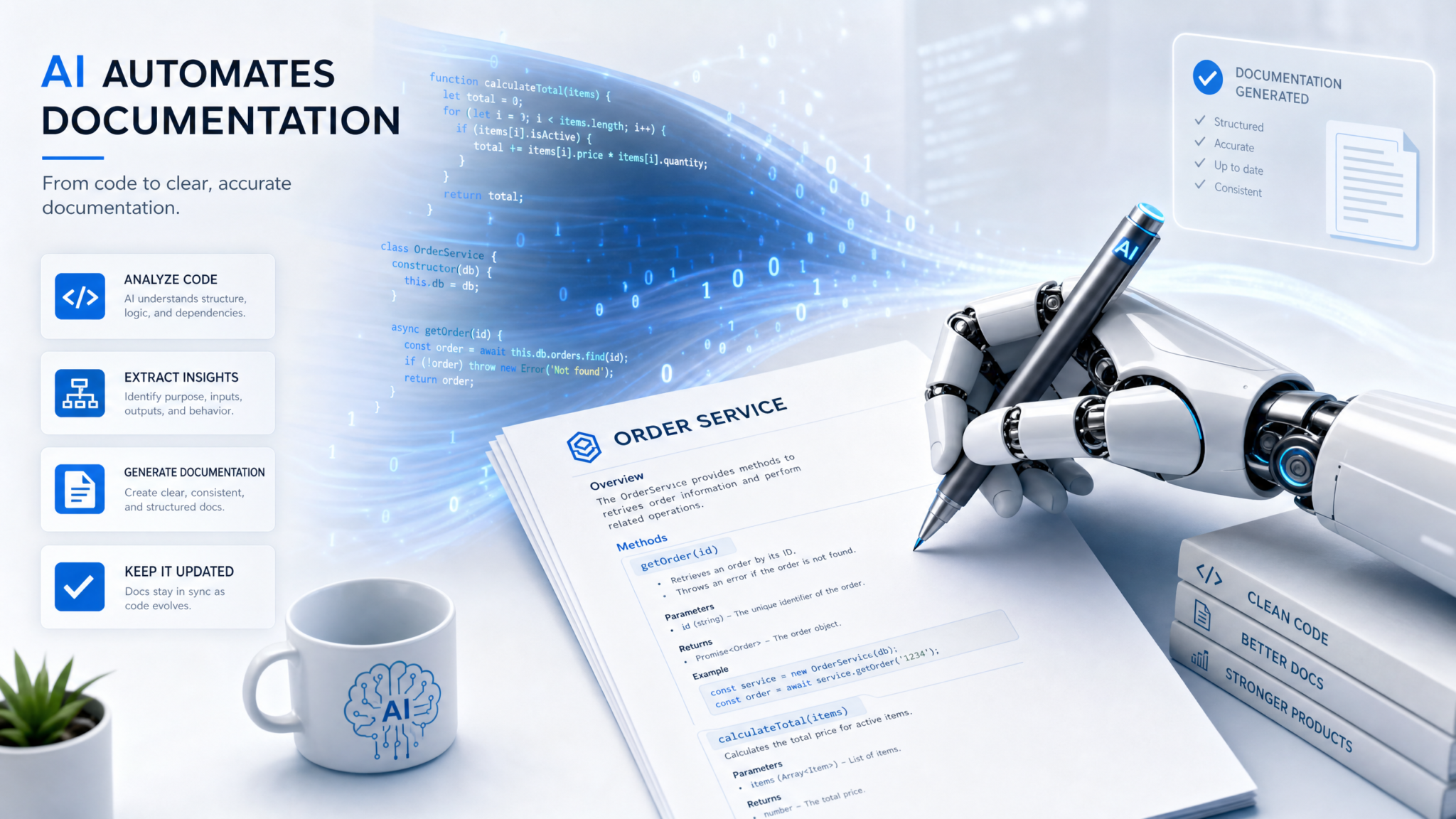
Gemini 3.1 Pro changes that equation by giving you a model that can watch code, specs, and usage traces and then write high‑quality docs in a largely hands‑free way. Instead of asking engineers to switch mental context into “writer mode”, you can automate most of the pipeline and reserve human time for review and high‑judgment edits.
Google’s gemini-3.1-pro-preview model provides up to a 1M token context window and strong performance on code and technical reasoning, positioned similarly to OpenAI’s gpt-5.4-pro and Anthropic’s claude-opus-4.7 in capability tier, while pricing at approximately $2 per 1M input tokens and $12 per 1M output tokens according to Google’s public model cardssource. That price/performance profile makes it viable not just for one-off content generation, but for continuous automation pipelines that run on every PR, every release, or even every CI build.
The interesting shift in 2026 is not “use an LLM to summarize code” — that’s table stakes. The shift is building stable, repeatable automation around Gemini 3.1 Pro that can:
- Ingest large multi-repo codebases, OpenAPI specs, and design docs in one pass.
- Maintain a persistent doc graph (concepts, APIs, diagrams, examples) and update it incrementally.
- Drive hands‑free workflows: PR docs checks, release-note generation, SDK reference pages, and runbook refreshes.
- Integrate with tools (GitHub, Jira, Confluence, Notion, internal wikis) via function calling and webhooks.
Instead of engineers opening a blank page to write docs, the pipeline prompts Gemini 3.1 Pro with structured instructions, rich context, and schemas for outputs. Humans become editors and approvers instead of primary authors.
This article walks through how to design that automation: prompt design for stable doc styles, retrieval pipelines that keep Gemini grounded in actual code, agent‑like workflows for keeping docs in sync with releases, and how Gemini compares with GPT‑5 and Claude for documentation-heavy workloads.
For the engineering trade-offs behind this approach, see our analysis in Gemini 3.1 Pro Automation: How to Analyze Data Hands-Free with AI, which breaks down the cost-vs-quality decisions in detail.
The focus is practical: how to wire up Gemini so you can write docs hands free without accepting hallucinations, style drift, or outdated content as the cost of automation.
How Gemini 3.1 Pro Powers Hands‑Free Documentation Pipelines
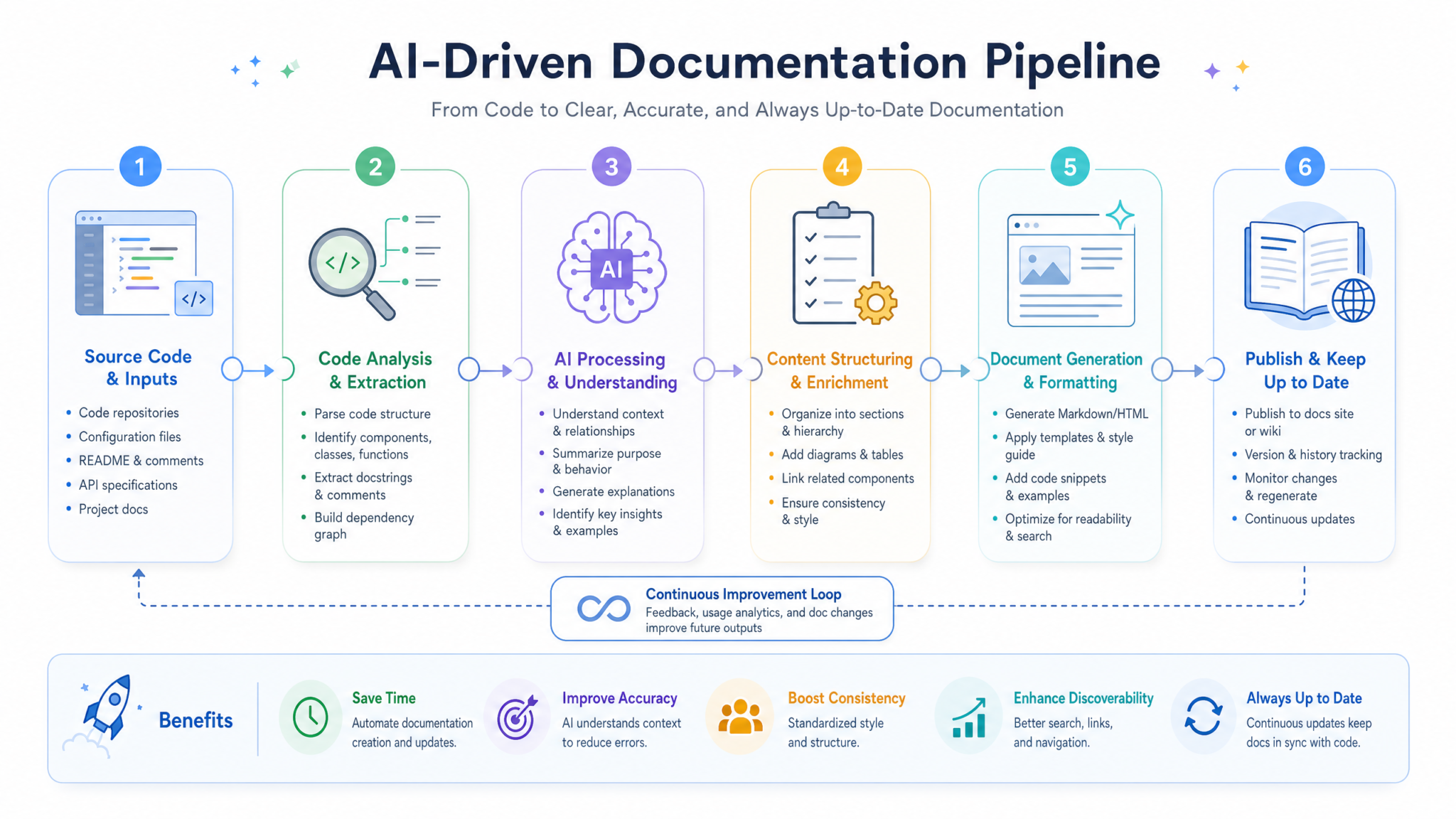
Effective automation around Gemini 3.1 Pro depends on treating documentation as a system, not a one-shot prompt. That system has four core pieces: model selection, context strategy, prompt and schema design, and orchestration.
1. Model selection within the Gemini 3.x family
The Gemini 3.x line provides a spectrum of models that can participate in a docs pipeline:
gemini-3-flash: low‑latency, cheaper, good for quick classification, diff analysis, and routing.gemini-3.1-flash-lite-preview: ultra‑cheap for simple extraction tasks, ESLint-style doc checks, or “does this symbol already have docs?” queries.gemini-3.1-pro-preview: high‑capacity reasoning and large context (up to ~1M tokens) for full doc generation, API reference authoring, and conceptual guides.gemini-3.1-flash-image-preview: for generating or interpreting diagrams, UI screenshots, and architecture images tied into docs.
A typical design uses Gemini 3.1 Pro as the “author” and Flash / Flash‑lite as cheap pre‑ and post‑processors. For example, Flash classifies file changes and selects what needs documentation, then Pro writes full pages.
2. Context and retrieval strategy for large codebases
Docs quality is bounded by how well the model sees your system. With 1M tokens of context, gemini-3.1-pro-preview can ingest a lot, but you still need deliberate context shaping.
Common patterns:
- Repository snapshots: For small to mid‑size services (~50–100K LOC), you can feed a curated snapshot of the entire repo plus key historical docs in a single Gemini call.
- RAG over code and design docs: For larger monorepos, index code symbols, comments, protobuf/OpenAPI schemas, ADRs, and existing wiki pages into a vector+metadata index. Each doc generation call becomes: “retrieve N most relevant chunks” → feed into Gemini with clear roles.
- Change‑focused context: In CI, use
git diffplus symbol-level indexing to only pull context around changed files and related modules. This is faster and cheaper, especially with prompt caching.
Prompt caching matters because doc generation usually follows consistent patterns (same system prompt, same formatting guidelines). Gemini’s cached prompts plus streaming outputs can significantly cut latency and cost for repetitive “write docs from this spec” tasks.
For the engineering trade-offs behind this approach, see our analysis in 7 automation Prompts for Gemini 3.1 Pro u2014 Copy-Paste Ready for Enterprise Deployments, which breaks down the cost-vs-quality decisions in detail.
3. System prompts, developer prompts, and output schemas
Hands-free automation requires Gemini to produce predictable structures rather than free-form prose. The standard pattern:
- System prompt: Defines documentation philosophy and constraints: audience, tone, formatting (Markdown/HTML), sections required, testable claims, and forbidden behaviors (e.g., no hypothetical APIs).
- Developer prompt: Injected by your automation service. It explains the specific workflow: “You are generating a new API reference page from an OpenAPI spec diff,” or “You are updating runbooks based on this incident report and trace logs.”
- JSON schemas / structured outputs: Force Gemini to output machine-parseable JSON with fields like
summary,examples,breaking_changes,migration_steps, andraw_markdown. Your pipeline then post-processes into the final docs system (e.g., MKDocs, Docusaurus, Confluence).
Using structured outputs is what makes the process hands‑free: CI, GitHub Actions, or internal bots can consume the JSON, open PRs, update wiki pages, or comment on tickets without humans cleaning up formatting.
4. Tool calling and orchestration for doc workflows
Gemini 3.1 Pro supports tool/function calling, which is crucial for multi-step documentation workflows. Instead of manually orchestrating each step outside the model, you can expose tools like:
get_changed_files()— fetches diff metadata from your VCS.retrieve_context(query)— queries your RAG index for code/docs/design contexts.open_pr(file_path, content, description)— opens a documentation PR in your docs repo.update_wiki(page_id, markdown)— updates an internal wiki page.
Your agent loop can then look like:
- Developer opens a feature PR without docs.
- CI webhook triggers a “Docs Agent” using Gemini 3.1 Pro.
- Gemini calls
get_changed_files, inspects code, callsretrieve_contextfor adjacent modules. - Gemini generates/update docs as structured JSON.
- Gemini calls
open_prorupdate_wikiwith the final content.
Humans only interact with the result inside normal tooling: GitHub PRs, GitLab Merge Requests, or wiki change sets.
5. Style consistency via doc styleguides in prompt + RAG
Large organizations already have doc styleguides (e.g., Google Developer Documentation Style Guide). Practical Gemini pipelines treat those as first‑class context:
- Store styleguides in a separate RAG index.
- Include a small subset (e.g., headings pattern, tense, code block rules) in every generation call.
- Periodically regenerate a “style profile summary” that Gemini can use as a compact reference for long contexts.
This turns “write docs hands free” from “hope the model does something reasonable” into “enforce house style mechanically,” similar to how ESLint or Prettier enforce code style. Gemini 3.1 Pro’s large context lets you directly paste long styleguides in many cases without heavy summarization.
The next section walks through a concrete end‑to‑end implementation: from CI event to published docs, using Gemini 3.1 Pro as the core author and lighter models for filtering and checks.
For a closer look at the tools and patterns covered here, see our analysis in 99+ ChatGPT Prompts for technical writers, which covers the practical implementation details and trade-offs.
Building a Hands‑Free Gemini 3.1 Pro Docs Pipeline: Practical Walkthrough
Get Free Access to 40,000+ AI Prompts
Join 40,000+ AI professionals. Get instant access to our curated Notion Prompt Library with prompts for ChatGPT, Claude, Codex, Gemini, and more — completely free.
Get Free Access Now →No spam. Instant access. Unsubscribe anytime.
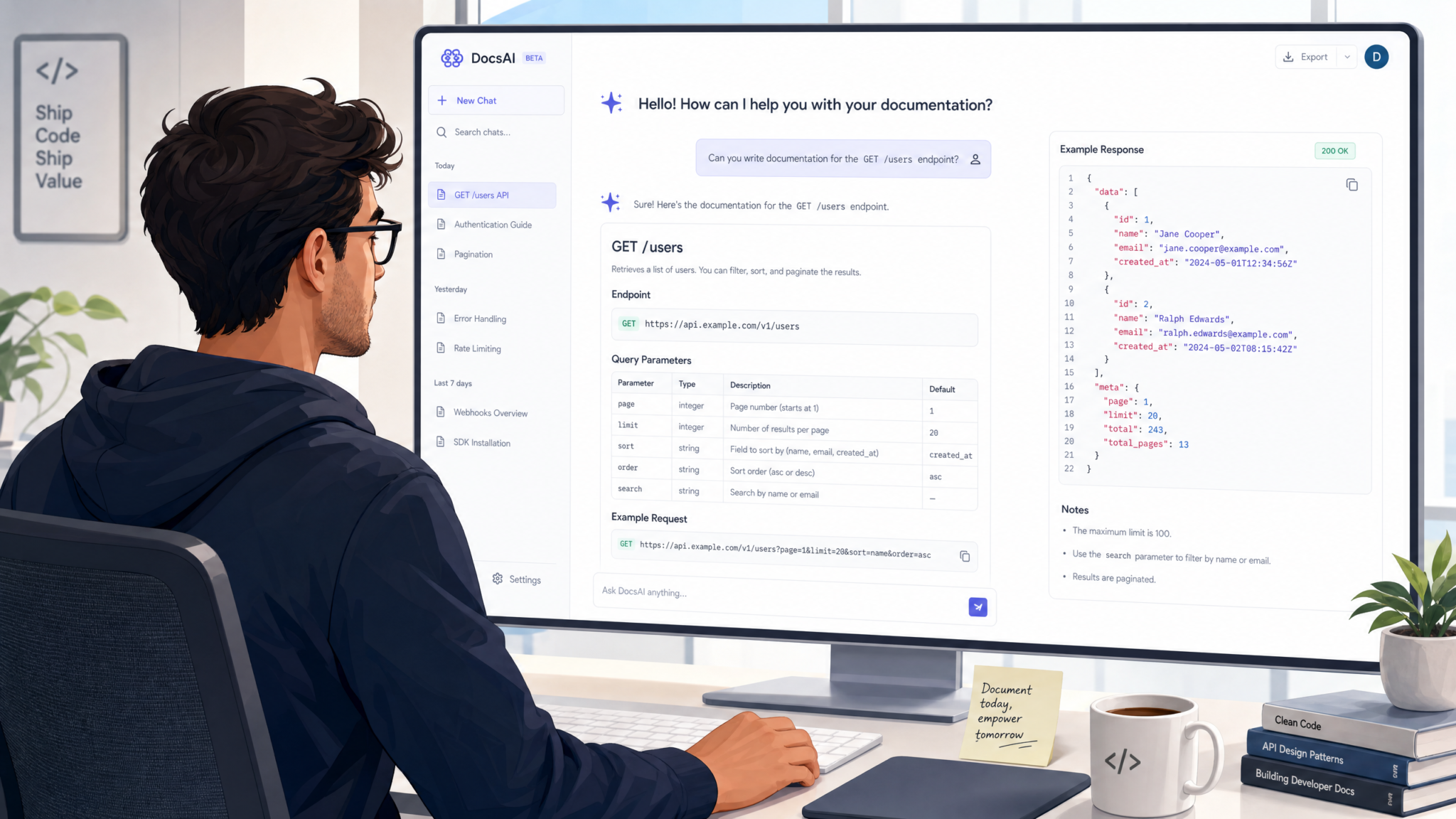
This section outlines a reference design for a Gemini‑based documentation automation system aimed at a TypeScript/Go microservice stack with OpenAPI, Postgres, and a React frontend. Adapt the stack details as needed; the pipeline structure generalizes.
Step 1: Define the documentation contract
Start by formalizing what “good docs” mean for your team in machine-readable terms. For each artifact type, define a schema:
- API reference page
- Feature guide / how‑to
- Runbook / SRE playbook
- Release notes
An example JSON schema for API reference sections:
{
  "type": "object",
  "properties": {
    "endpoint": { "type": "string" },
    "summary": { "type": "string" },
    "description": { "type": "string" },
    "http_method": { "type": "string" },
    "path": { "type": "string" },
    "request_schema": { "type": "string" },
    "response_schema": { "type": "string" },
    "status_codes": {
      "type": "array",
      "items": { "type": "string" }
    },
    "examples": {
      "type": "array",
      "items": {
        "type": "object",
        "properties": {
          "title": { "type": "string" },
          "curl": { "type": "string" },
          "code_sample": { "type": "string" },
          "language": { "type": "string" }
        },
        "required": ["title", "curl"]
      }
    },
    "breaking_changes": { "type": "string" }
  },
  "required": [
    "endpoint", "summary", "description",
    "http_method", "path", "request_schema",
    "response_schema"
  ]
}
Gemini 3.1 Pro will be asked to emit JSON matching this schema, which your automation then converts into Markdown/HTML docs.
Step 2: Wire Gemini into CI as a documentation bot
Assuming a GitHub-centric workflow, configure a CI job that triggers on pull requests touching specific paths:
backend/**orapi/**→ API docs & runbooks.frontend/**→ user‑facing guides.migrations/**→ database change notes.
A simplified Node.js / TypeScript sketch of the CI step using Gemini 3.1 Pro via REST:
import fetch from "node-fetch";
import { getChangedFiles, getRepoSnapshot, openDocsPR } from "./ci-tools";

const GEMINI_API_KEY = process.env.GEMINI_API_KEY;

async function generateDocsForPR(prNumber: number) {
  const changedFiles = await getChangedFiles(prNumber);

  const context = await getRepoSnapshot({
    includeFiles: changedFiles,
    extraGlobs: ["docs/**", "openapi/**", "adr/**"]
  });

  const systemPrompt = `
You are a senior technical writer for a backend team.
Write production-ready documentation in Markdown.
Follow this structure:
- Summary
- Prerequisites
- Request / Response details
- Examples
- Breaking changes & migration
Constraints:
- No invented APIs or parameters.
- If something is ambiguous, clearly mark it as TODO: with a question.
  `;

  const userPrompt = `
Generate or update docs for the following change set.
Return JSON that conforms to the provided schema.

=== PR METADATA ===
${JSON.stringify({ prNumber }, null, 2)}

=== CHANGED FILES ===
${changedFiles.join("n")}

=== CONTEXT SNAPSHOT ===
${context}
  `;

  const body = {
    contents: [
      { role: "system", parts: [{ text: systemPrompt }] },
      { role: "user", parts: [{ text: userPrompt }] }
    ],
    generationConfig: {
      temperature: 0.2,
      responseMimeType: "application/json"
    }
  };

  const res = await fetch(
    "https://generativelanguage.googleapis.com/v1beta/models/gemini-3.1-pro-preview:generateContent",
    {
      method: "POST",
      headers: {
        "Content-Type": "application/json",
        "x-goog-api-key": GEMINI_API_KEY!
      },
      body: JSON.stringify(body)
    }
  );

  const json = await res.json();
  const docsJson = JSON.parse(json.candidates[0].content.parts[0].text);
  const markdown = renderDocsMarkdown(docsJson);

  await openDocsPR(prNumber, markdown);
}
Production code should add retries, safety checks, and guardrails (max token counts, error reporting), but the pattern stands: Gemini 3.1 Pro receives a curated context snapshot and outputs structured docs used to open a docs PR automatically.
Step 3: Add RAG for large codebases and historical docs
For hand‑crafted microservices, raw snapshots may suffice. For real‑world monorepos, index everything. A common stack:
- Embedding store: pgvector, Qdrant, Weaviate, or Vertex Matching Engine.
- Chunkers tuned for code (AST‑aware for TypeScript/Go/Java) and for Markdown/ADR docs.
- Metadata: repo path, symbol names, tags (e.g., “public API”, “migration guide”, “runbook”).
The CI step then becomes:
- Extract changed symbols and files from the PR.
- Query the index for related entities (e.g., callers, data models, existing docs sections).
- Include those retrieved chunks as
CONTEXTsections in the Gemini prompt.
This ensures Gemini 3.1 Pro has a holistic view without re‑sending the entire monorepo each time, keeping token usage and latency manageable.
Step 4: Use cheaper Gemini models for gating and QA
Hands‑free write-amend cycles need automated QA, or you risk shipping incorrect docs. Use gemini-3-flash or gemini-3.1-flash-lite-preview for fast checks:
- “Does this doc mention all public endpoints in the diff?”
- “Are there any TODOs left in the Markdown?”
- “Does the doc contradict the OpenAPI schema in these specific fields?”
Because these are classification / consistency checks, you can restrict outputs to JSON booleans or short error lists and enforce strict content rules. Only if QA passes does the pipeline open a docs PR or update a wiki.
Step 5: Integrate with your documentation surface
Different organizations deploy docs differently:
- Code‑local Markdown (e.g., Docusaurus, MKDocs): pipeline commits Markdown files into the docs repo and opens PRs.
- Hosted knowledge bases (Confluence, Notion): pipeline uses their APIs from tools invoked by Gemini 3.1 Pro or by a wrapper service.
- Hybrid: reference docs in repo, conceptual docs in wiki.
The trick is to store doc metadata alongside code metadata: page IDs, anchors, tags. When Gemini generates updated content, your automation layer knows where to apply it.
Step 6: Human review with strong defaults
Hands‑free should not mean “no human in the loop”. In practice:
- Require at least one human reviewer approval for docs PRs created by the bot.
- Show a diff view that separates model-generated lines from manual edits via markers or special comments.
- Allow reviewers to add short comments that feed back into Gemini prompts for regeneration.
The goal is to push humans into a high‑leverage role: spot conceptual issues, not format or structure. Over time, feedback can be turned into updated styleguides and system prompts that Gemini 3.1 Pro uses, further improving automation quality.
Gemini 3.1 Pro vs GPT‑5 & Claude for Documentation Automation
Gemini 3.1 Pro does not live in a vacuum. For documentation work, GPT‑5.4, GPT‑5.5, and Claude Opus 4.7 are also strong candidates. Choosing the right stack is about matching workload shapes to model strengths, cost, latency, and ecosystem integration.
Model capabilities and pricing snapshot
| Model | Context window | Indicative pricing (input/output per 1M tokens) | Notable strengths for docs |
|---|---|---|---|
| Gemini 3.1 Pro Preview | Up to ~1M tokens | ~$2 / $12source | Strong code+multimodal; deep Google ecosystem integration; large context for whole‑repo views |
| Gemini 3 Flash | Short‑to‑medium | Lower than Pro tier | Cheap gating, classification, and QA for doc pipelines |
| GPT‑5.4 Pro | Hundreds of K tokens (varies by deployment) | Higher tier than base 5.4source | Excellent writing quality, strong code reasoning, rich tool ecosystem |
| GPT‑5.5 / GPT‑5.5 Pro | ~1.05M tokens for 5.5source | $5 / $30 (5.5), $30 / $180 (5.5 Pro) | High reasoning depth, very long context; good for multi‑service doc consolidation |
| Claude Opus 4.7 | Large context (hundreds of K tokens) | $5 / $25 per 1M tokenssource | Very strong explanation clarity; great for conceptual guides and tutorials |
Benchmarks like MMLU or HumanEval are less critical for doc work than for pure coding tasks, but all of these models sit in the high‑capability band. The primary differentiators are context size, ecosystem features (like Google Workspace / GitHub / Notion integrations), and TCO for continuous automation.
Where Gemini 3.1 Pro wins for docs automation
- One‑vendor story for Google‑heavy stacks: If engineering orgs are already on GCP, BigQuery, and Google Workspace, Gemini 3.1 Pro slots in naturally with internal identity, Cloud Run, and Vertex AI. Docs pipelines live close to infra.
- Large context for “whole system” views: Being able to load an entire OpenAPI spec plus important ADRs and historical incidents into a single Gemini 3.1 Pro call makes SRE runbooks, architectural overviews, and end‑to‑end integration docs more coherent.
- Multimodal diagrams: Using
gemini-3.1-flash-image-preview, you can ask Gemini to generate rough sequence diagrams or system diagrams and include them in docs. While GPT‑5.4-image-2 and OpenAI’s diagramming are strong, being in the same Gemini family simplifies orchestration. - Cost profile for always‑on automation: At roughly $2 / $12 per 1M tokens, running dozens or hundreds of doc generation jobs per day stays economically reasonable, especially when combined with Flash for pre/post processing.
Where GPT‑5.x or Claude might be better
- Cross‑vendor ecosystems: If you already use OpenAI for coding agents (e.g.,
gpt-5.3-codexorgpt-5.2-codex) and fine‑tuned internal models, centralizing on GPT‑5.4 or GPT‑5.5 for docs might reduce operational complexity. - Maximum reasoning depth for gnarly migrations: GPT‑5.5 Pro, with higher cost, can be justified for extremely complex architectural migrations where you want the LLM to reason deeply about backward compatibility and multi‑release rollouts while drafting docs.
- Explanatory prose quality: Claude Opus 4.7 has a reputation for particularly clear and careful explanations, which can be beneficial for user‑facing guides and “conceptual introductions” where nuance matters more than raw code proximity.
Hybrid strategies
For many orgs, a hybrid approach makes sense:
- Use Gemini 3.1 Pro for repo‑adjacent docs (API references, runbooks), colocated with GCP infra.
- Use Claude Opus 4.7 for long‑form conceptual articles and user onboarding content.
- Use GPT‑5.4 Pro or GPT‑5.5 for cross‑stack integration docs when other agents in your platform are already OpenAI-native.
This multi‑model pattern is more operationally complex but uses each model where it is strongest. Nothing about a Gemini 3.1 Pro automation pipeline prohibits adding other models later; they can share RAG indices and tooling layers.
Regardless of the model, the architecture remains similar: RAG over code and docs, structured JSON outputs, tool calls for orchestration, and CI glue code that makes the process hands free for developers while keeping humans in control of approvals.
Real‑World Patterns: What “Hands‑Free” Looks Like in Practice
Abstract architectures are useful, but the real value shows up in concrete org patterns. This section outlines several usage patterns that teams are already adopting in 2025–2026 as Gemini 3.1 Pro and similar models mature.
Pattern 1: PR‑driven doc updates
Goal: Any PR that changes externally visible behavior must either include docs or let the automation generate them. Developers no longer think “should I write docs?”; the system enforces it.
- Trigger: GitHub/GitLab webhook on PR events involving specific code paths or files containing public API symbols.
- Classification:
gemini-3-flashdetermines whether changes affect public behavior and which audiences (internal SRE, external customers, other internal services). - Generation: For relevant PRs, Gemini 3.1 Pro generates or updates docs pages according to schemas.
- QA: Flash‑lite checks for completeness, style violations, and contradictions against specs.
- PR update: CI posts a docs PR or updates the existing PR with new/modified doc files.
Teams report that this pattern increases the percentage of PRs with adequate docs from <30% to >90% without extra cognitive load on engineers, because docs become “just another CI requirement” like tests passing.
Pattern 2: Release‑notes and changelog automation
Releases usually have scattered info: Git tags, merged PRs, Jira tickets, incident reports. Gemini 3.1 Pro can sit on top of that data and produce tiered outputs:
- High‑level release summary for executives and PMs.
- Technical changelog for internal engineering.
- Public release notes for customers, filtered for NDA / sensitivity.
Implementation outline:
- Pull commit/PR list between release tags.
- Enrich with metadata (component labels, severity, user impact).
- Feed into Gemini 3.1 Pro with strict instructions about audience and disclosure levels.
- Use JSON output with fields like
highlighted_features,bug_fixes,breaking_changes,known_issues. - Render into separate docs: internal wiki pages, public changelog, email templates.
This is where large context especially matters: Gemini can reason over hundreds of PRs at a time, spotting patterns (e.g., many changes in billing) and surfacing them as coherent narratives instead of flat lists.
Pattern 3: Runbook generation from incidents and traces
SRE teams often lack up‑to‑date runbooks, causing repeated “reinventing the fix” incidents. With Gemini 3.1 Pro, each incident can become raw material for runbook evolution.
- Ingest incident timelines, Slack/Teams threads, dashboards screenshots, and trace logs.
- Use multimodal Gemini to interpret graphs and screenshots if necessary.
- Have Gemini 3.1 Pro propose or update a runbook section: detection, diagnostics, mitigation, post‑incident verifications.
- Route proposal to the on‑call or incident commander for review and approval.
Over time, the runbook corpus becomes a living artifact, evolving with minimal manual writing. New engineers can then rely on accurate, recent docs when paged, reducing MTTR.
Pattern 4: SDK and client library reference docs
Multi‑language client libraries often have stale or inconsistent docs, especially for “long tail” languages. A Gemini 3.1 Pro automation pipeline can:
- Parse OpenAPI / protobuf / GraphQL schemas.
- Look at existing TypeScript or Python SDKs as reference implementations.
- Generate documentation for other SDKs (Java, Go, Ruby) that aligns with the canonical semantics.
- Include language‑specific usage examples that compile or type‑check in CI.
When schemas change, a regeneration job runs and updates all SDK docs at once, avoiding drift. Combined with model‑based codegen (using gpt-5.3-codex or Gemini itself for stubs), this significantly reduces the overhead of maintaining many clients.
Pattern 5: Internal tool UIs with live docs side‑by‑side
Some orgs embed Gemini 3.1 Pro directly into internal admin panels or dashboards. As engineers hover over a configuration field or feature flag, the system calls Gemini with live context (current rollout status, linked code paths) and displays a contextual doc snippet in a sidebar.
This isn’t static docs; it is dynamic documentation driven by the same automation primitives: RAG over code and historical changes, structured prompts for short explanations, and caching for performance. The “hands free” aspect here is that no one explicitly wrote docs for the UI; the system composes them on demand and improves them as code changes.
Operational guardrails and failure modes
Real deployments of Gemini‑based automation for docs must handle failure cases gracefully:
- Hallucination risk: Constrain Gemini with explicit rules: never invent endpoints, parameters, or config flags; if uncertain, write “TODO: clarify X with the owning team.” In CI, fail jobs that contain TODOs so humans clean them up.
- Context drift: Ensure RAG indices and context snapshots are updated frequently. Use commit hooks or nightly jobs to re‑index changed files and docs.
- Performance: For large orgs, naive “send everything” prompts will become slow and expensive. Design schemas and chunking carefully; use Flash models for heavy lifting on routing and QA.
- Security & privacy: Treat Gemini inputs as potentially sensitive. Use VPC‑scoped deployments or private connectivity where possible. Redact secrets from logs and prompts.
Handled correctly, these guardrails allow you to rely on Gemini 3.1 Pro for the majority of doc writing while still treating it as an assistant that must obey house rules rather than a free‑form author.
Useful Links
- Google Gemini API model reference (3.x family, including 3.1 Pro Preview)
- Gemini API documentation and quickstart guides
- Vertex AI Generative AI on GCP: overview and architecture
- OpenAI GPT‑5.x model list, pricing, and context sizes
- Anthropic Claude 4.x models and pricing
- Google Developer Documentation Style Guide (for system prompt/style reference)
- Qdrant vector database for RAG over code and docs
- MKDocs static site generator for Markdown-based docs
- Docusaurus documentation website generator
- pgvector extension for Postgres-based vector search
🕐 Instant∞ Unlimited🎁 Free
Frequently Asked Questions
What makes Gemini 3.1 Pro suitable for large codebase documentation?
Gemini 3.1 Pro’s context window supports up to approximately 1 million tokens, allowing it to ingest multi-repo codebases, OpenAPI specs, and design docs in a single pass. This eliminates chunking hacks required by smaller-context models like earlier GPT-4 variants and reduces context-loss errors in generated reference pages.
How does Gemini 3.1 Pro compare to GPT-5 and Claude Opus for docs?
All three models—gemini-3.1-pro-preview, gpt-5.4-pro, and claude-opus-4.7—sit in the same capability tier for technical reasoning. Gemini 3.1 Pro is competitively priced at $2/$12 per 1M input/output tokens and natively supports function calling for GitHub, Jira, and Confluence integrations used in doc automation workflows.
Can Gemini 3.1 Pro automate documentation on every pull request trigger?
Yes. By integrating gemini-3.1-pro-preview into CI/CD pipelines via webhooks, teams can trigger doc checks, diff-based updates, and release-note generation on every PR. Lighter models like gemini-3-flash handle routing and classification cheaply, reserving Pro only for full generation tasks.
What role does retrieval-augmented generation play in this pipeline?
RAG keeps Gemini grounded in actual code rather than relying on training-time knowledge. Embeddings of source files, changelogs, and specs are stored in a vector index; relevant chunks are retrieved per prompt. This drastically reduces hallucinated API signatures and outdated parameter descriptions in generated docs.
Which doc types can Gemini 3.1 Pro generate in a hands-free workflow?
The pipeline supports SDK reference pages, conceptual guides, OpenAPI-derived endpoint docs, PR-scoped release notes, runbook refreshes, and onboarding tutorials. Structured output schemas enforce consistent formatting, while function calling pushes finalized content directly to Confluence, Notion, or internal wikis.
How do teams prevent style drift in AI-generated documentation over time?
Style drift is controlled through locked system prompts that encode voice, heading hierarchy, and terminology rules, combined with a persistent doc graph that tracks existing concepts and cross-links. Human reviewers approve diffs rather than full documents, catching tone deviations before they propagate across the knowledge base.